
文档入口Documentation
手册Manual 使用手册(真实截图)Manual (real screenshots)
每个命令覆盖「使用场景 / 使用方式 / 使用效果」,终端截图原样保留配色,并提供独立中文页面。 Each command covers Scenario / Usage / Effect with faithful terminal colors, with a dedicated English page.
Markdown 命令说明文档Command reference
纯文本版中文说明,便于在仓库或编辑器里阅读。 Plain-text English reference, easy to read in the repository or an editor.
样例Sample scan 报告(HTML)scan report (HTML)
skill-doctor scan --report 真实生成的技能盘点报告。— a real skill inventory report.
样例Sample dashboard 报告(HTML)dashboard report (HTML)
skill-doctor dashboard --report 真实生成的单文件总览报告。— a real single-file overview report.
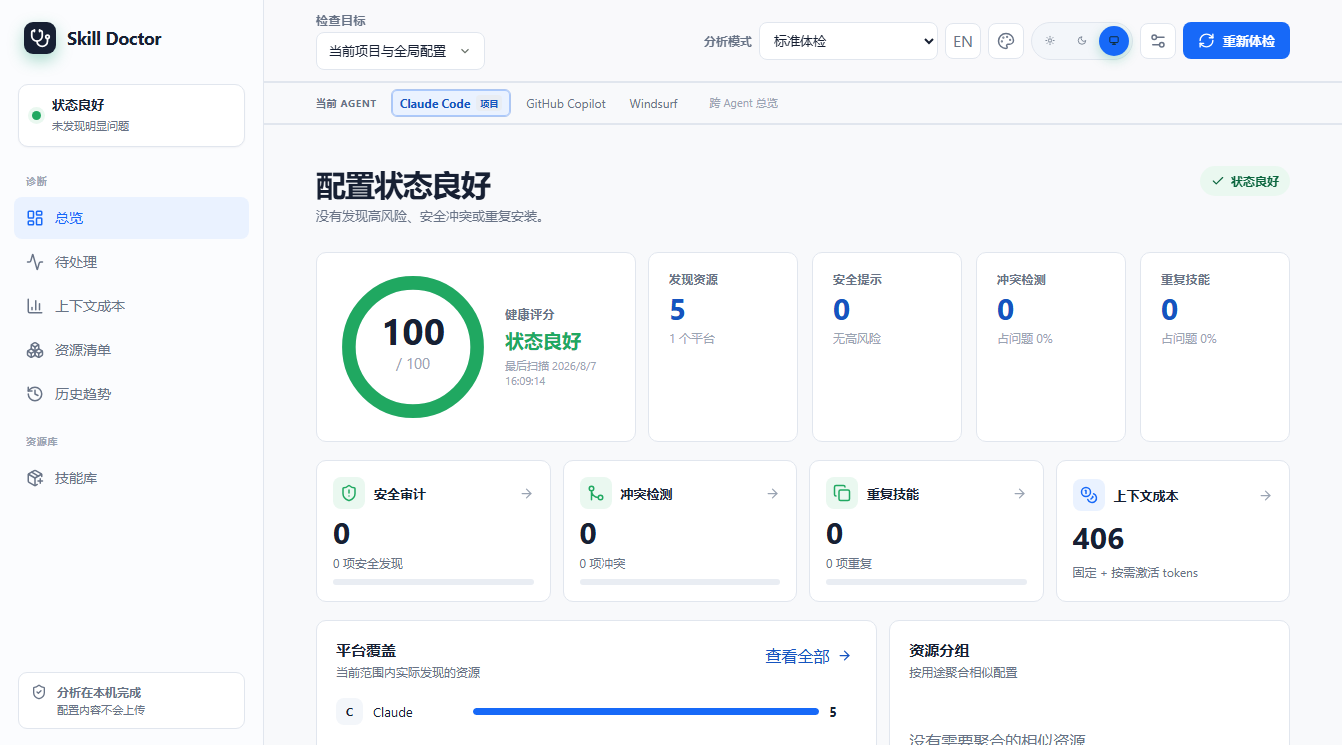
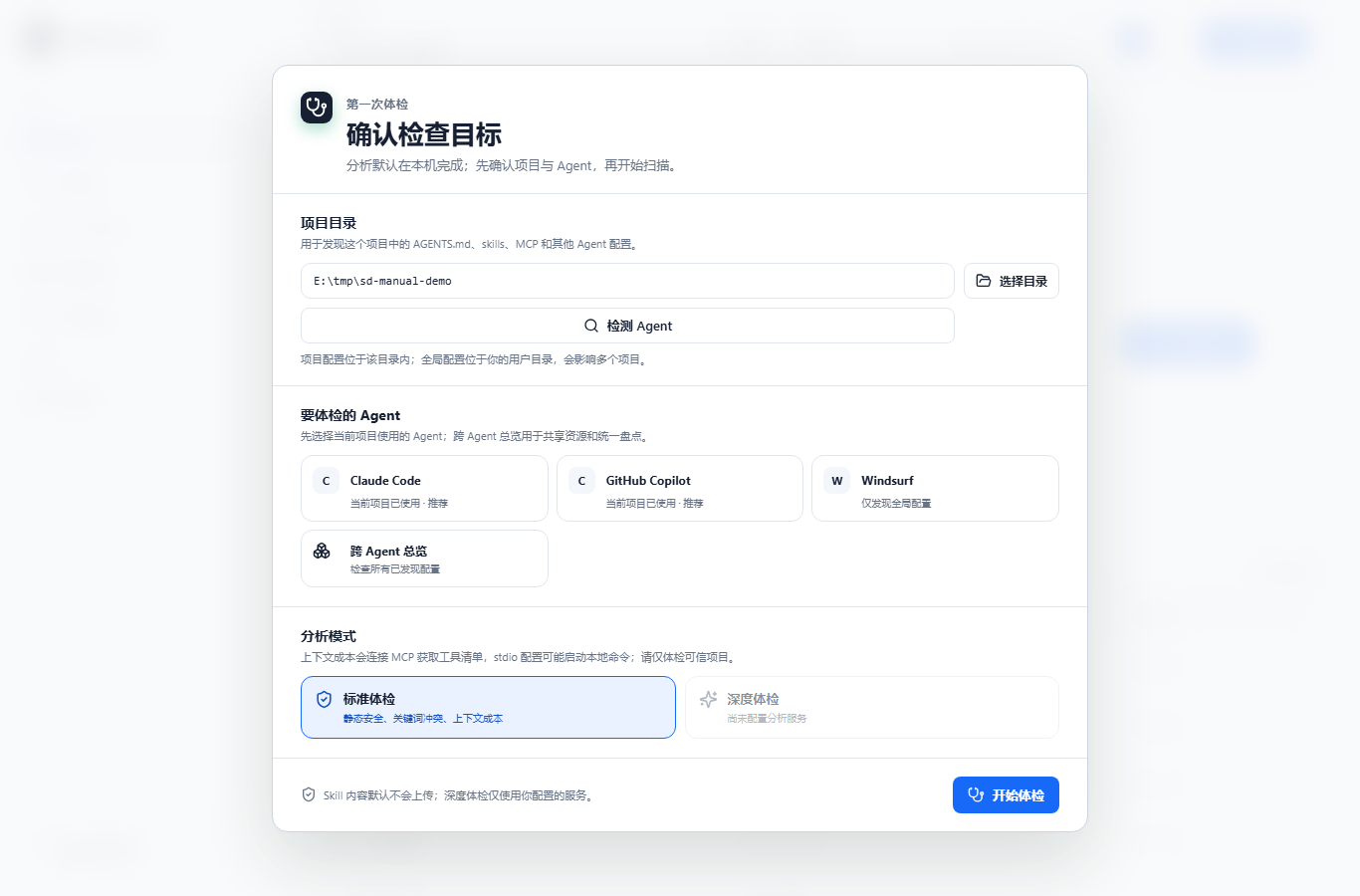
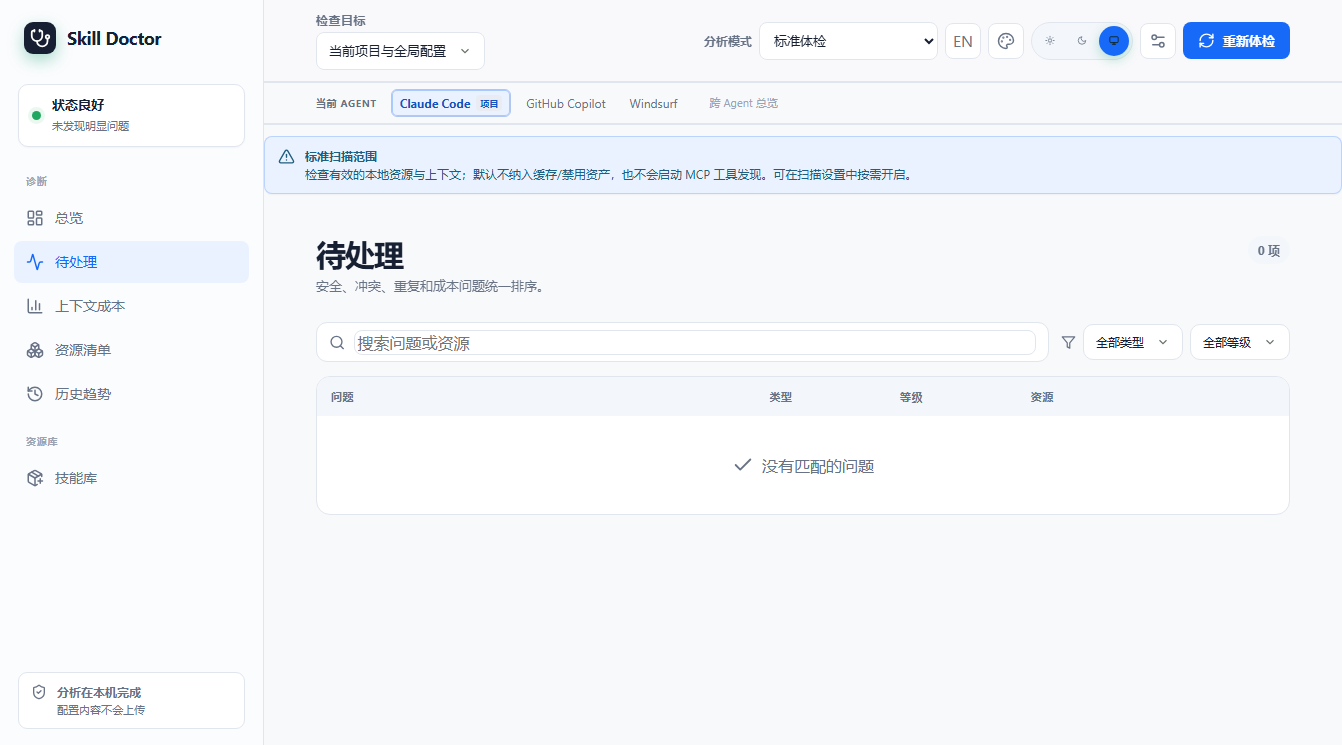
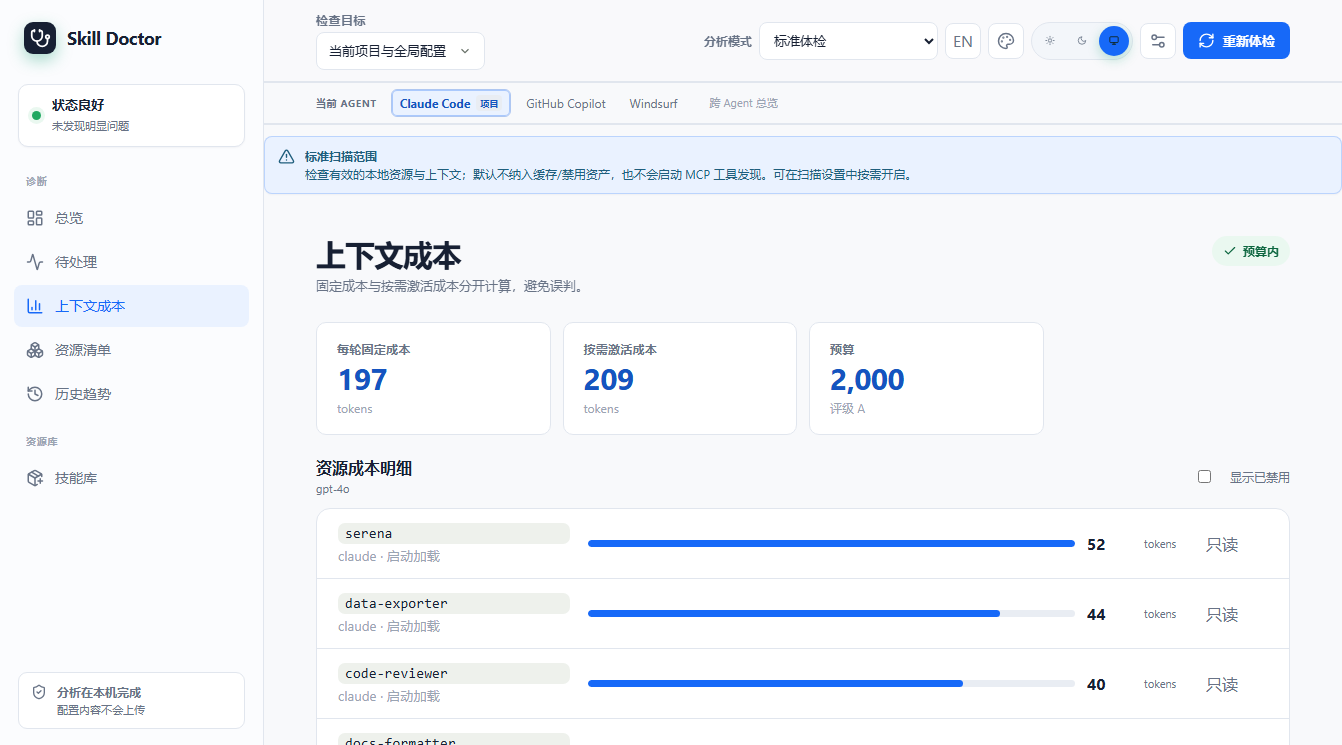
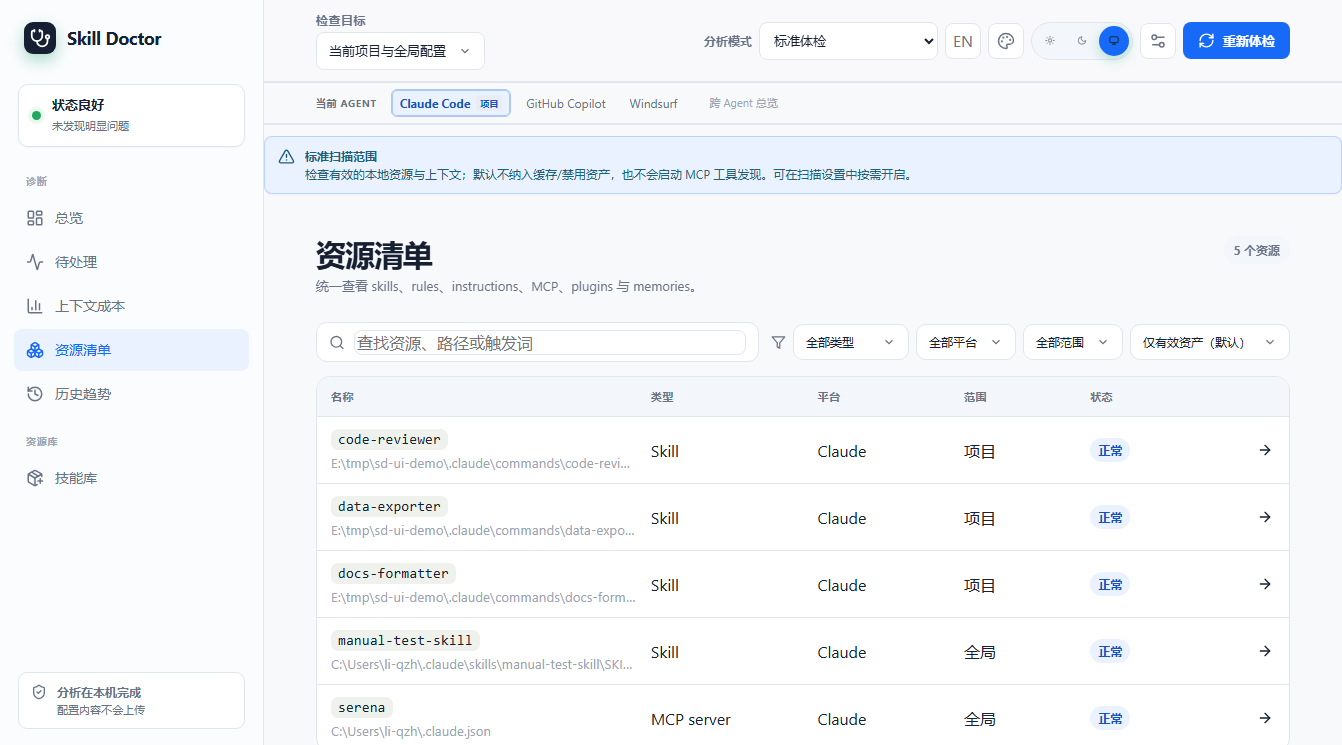
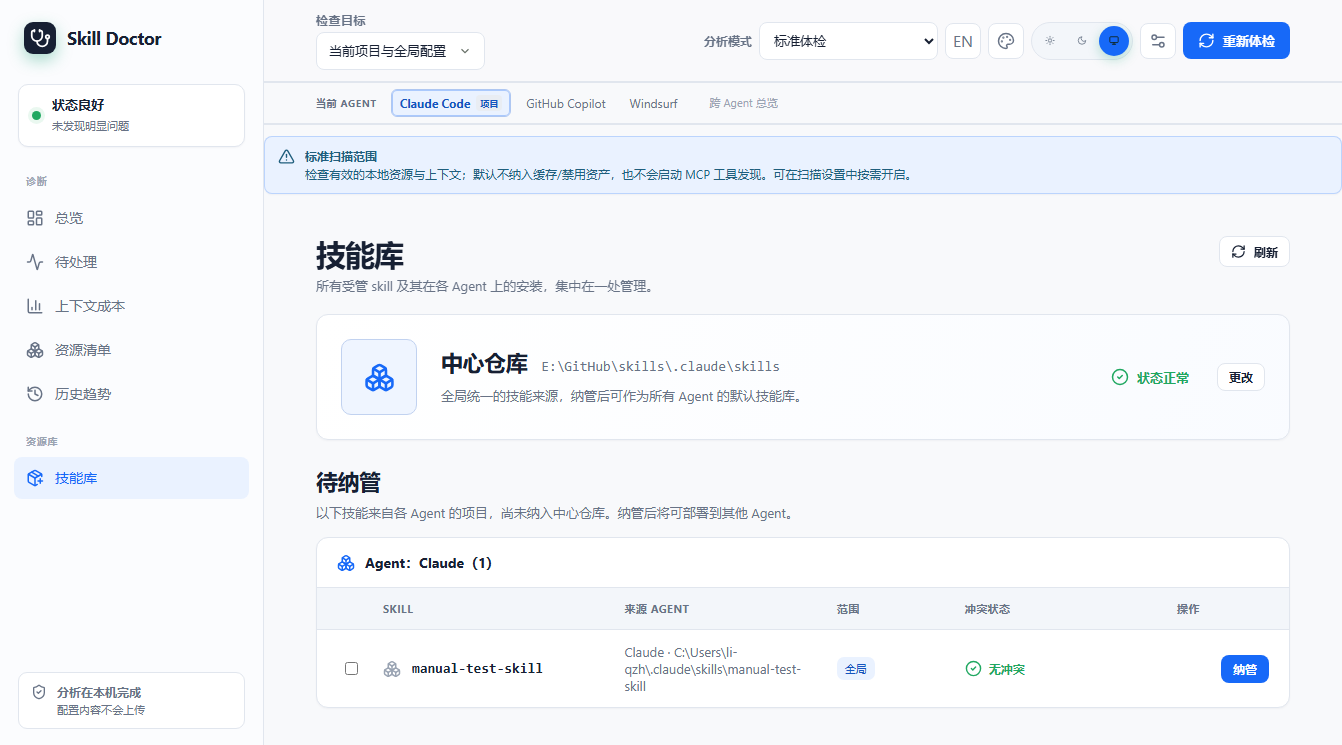
skill-doctor ui 界面样例skill-doctor UI screenshots
以下截图均来自 skill-doctor ui 在一个只包含 Codex 项目级 .codex/skills 的当前示例项目上的实际运行结果。首次启动会显示引导对话框,选择 Codex 后进入当前 UI。
These screenshots were captured from skill-doctor ui running against a current example project containing only project-level .codex/skills. The first launch shows the onboarding dialog with Codex selected.
如何在线浏览:How to browse online:
本目录已配置为 GitHub Pages 源。在仓库
Settings → Pages 中将 Source 设为 Deploy from a branch、分支选 main、目录选 /docs 并保存后,即可访问 https://<用户名>.github.io/<仓库名>/。中文手册位于 /zh-CN/pages/manual.html。若未启用 Pages,也可通过 https://htmlpreview.github.io/?https://github.com/<用户名>/<仓库名>/blob/main/docs/zh-CN/pages/manual.html 临时预览。
This directory is set as the GitHub Pages source. In the repo Settings → Pages, set Source to Deploy from a branch, branch main, folder /docs, and save. Then visit https://<user>.github.io/<repo>/ (English manual at /en/pages/manual.html). If Pages is off, preview via https://htmlpreview.github.io/?https://github.com/<user>/<repo>/blob/main/docs/en/pages/manual.html.