
How to read this manual
New: current Codex optimization walkthrough with five real screenshots
Each command gets its own section with three blocks: Scenario (when to reach for it), Usage (the command and common flags), Effect (the dark terminal block below is a real, colorized screenshot of the run).
Conventions: --scope project scopes to the current repo and avoids touching global config; --json emits machine-readable output for CI. The example project contains 1 duplicate skill, so you will see "data-exporter has 2 copies" appear in several places.
Install & Run Install & Run
Scenario
skill-doctor is a local CLI that audits skills installed by AI coding assistants (Claude Code / Codex / Copilot / Cursor / WorkBuddy / InfCode, etc.): duplicates, conflicts, security risks, and context cost. Install it once and use it in any project directory.
Usage
| Option | Description |
|---|---|
| npm i -g @evilstar2025/skill-doctor | Install globally, then use the `skill-doctor` command directly. |
| npx @evilstar2025/skill-doctor <cmd> | Run a command on the fly without installing. |
| skill-doctor --version | Print the version (this manual targets 0.7.0). |
Notes
Requires Node.js ≥ 20. Every command accepts `--json` for machine-readable output, which is convenient for CI. The examples in this manual run against a sample project that intentionally puts a skill named `data-exporter` into both `.claude` and `.github` (creating 1 duplicate) and also contains `code-reviewer` for diff demos.
Effect
$ skill-doctor --version
0.7.0
skill-doctor --help Overview: --help
Scenario
First time using it, or when you forget a sub-command or flag? Check --help first. It lists every command and option and serves as the index.
Usage
| Option | Description |
|---|---|
| -h / --help | Works for any sub-command, e.g. `skill-doctor conflicts --help`. |
| -v / --version | Print just the version. |
Notes
Below is the real output of --help on this machine, which you can use as a cheat sheet.
Effect
$ skill-doctor --help
skill-doctor

Usage:
  skill-doctor scan [--scope project|global|all] [--strategy token|embedding] [--threshold N] [--embedding-model ID] [--json] [--report [path]]
  skill-doctor show <name> [--json]
  skill-doctor conflicts [--scope project|global|all] [--strategy token|embedding] [--threshold N] [--embedding-model ID] [--analyze] [--kind duplicate|conflict|all] [--fail-on high|med|low] [--limit N] [--json]
  skill-doctor audit [--scope project|global|all] [--severity high|med|low] [--fail-on high|med|low] [--ai] [--no-cache] [--json] [--report [path]]
  skill-doctor check [--scope project|global|all] [--fail-on high|med|low] [--budget-tokens N] [--json]
  skill-doctor cleanup [--scope project|global|all] [--json]
  skill-doctor cost [project-dir] [--platform PLATFORM] [--scope project|global|all] [--source skill|mcp|all] [--resource all|agents|skill|mcp|plugin|memory] [--codex-config path] [--show-disable] [--include-cache] [--tokenizer openai|approx] [--tokenizer-model model] [--budget-tokens N] [--platform-budget platform=N] [--fail-on-budget] [--json]
  skill-doctor context [project-dir] [--platform PLATFORM] [--scope project|global|all] [--source skill|mcp|all] [--resource all|agents|skill|mcp|plugin|memory] [--codex-config path] [--show-disable] [--include-cache] [--tokenizer openai|approx] [--tokenizer-model model] [--budget-tokens N] [--platform-budget platform=N] [--fail-on-budget] [--json]
  skill-doctor context enable|disable --id <resource-id> [--platform codex] [--codex-config path] [--json]
  skill-doctor diff <skill-a> <skill-b> [--report [path]]
  skill-doctor ui [project-dir] [--port N] [--no-open]
  skill-doctor dashboard [--scope project|global|all] [--report [path]] [--open]
  skill-doctor install <path|slug> [--target <platform>] [--link]
  skill-doctor uninstall <name> [--target <platform>] [--force]
  skill-doctor center migrate|show
  skill-doctor config view [--json]
  skill-doctor config set analysis|embedding --base-url <url> --model <model> [--api-key <key>] [--timeout-ms <n>] [--clear-api-key]
  skill-doctor config test [--service analysis|embedding]
  skill-doctor --version

Model config file:
  ~/.skill-doctor/config.json
  {
    "analysis":  { "baseUrl": "http://host/v1", "model": "gpt-4o", "apiKey": "..." },
    "embedding": { "baseUrl": "http://host/v1", "model": "bge-m3", "apiKey": "..." }
  }

Platforms:
  --platform values: claude|cursor|copilot|codex|gemini|windsurf|trae|opencode|kiro|openclaw|hermes|workbuddy|infcode|unknown (aliases: claudecode->claude, claude-code->claude)
scan scan — list installed skills
Scenario
When you want to know which skills are installed in the current project, on which platforms, and whether any duplicates or conflicts exist — run `scan` first. It is the starting point for all subsequent diagnostics.
Usage
| Option | Description |
|---|---|
| --scope project|global|all | Scan scope; default `all`. The manual examples use `project` to limit the scan to the current repo. |
| --group | Use an LLM to group skills by topic (requires a configured analysis model). |
| --strategy token|embedding | Conflict-detection strategy; default `token` (local, offline). |
| --report [path] | Also export a visual HTML report. |
| --json | Emit structured JSON for script consumption. |
Notes
The example finds 3 skills (claude × 2, copilot × 1) and reports 1 duplicate. `--report` writes scan-report.html (a real sample ships with this manual).
Effect
$ skill-doctor scan --scope project
SKILL DOCTOR REPORT
Total skills installed: 3
Duplicates detected: 1
Conflicts detected: 0
Platforms:
- claude: 2
- copilot: 1

Skills:
- code-reviewer
  platform: claude  scope: project
  install source: .claude/skills  confidence: high
  repository: —
  author: —
- data-exporter
  platform: claude  scope: project
  install source: .claude/skills  confidence: high
  repository: —
  author: —
- data-exporter
  platform: copilot  scope: project
  install source: .github/skills  confidence: high
  repository: —
  author: —
$ skill-doctor scan --scope project --report scan-report.html
Report written to: E:/tmp/sd-manual-demo/caps/scan-report.html
show <name> show — inspect one skill
Scenario
After scanning a pile of skills, drill into one: its source path, description, trigger conditions (When to Use), and other semantically similar skills.
Usage
| Option | Description |
|---|---|
| <name> | Skill name (required), e.g. `data-exporter`. |
| --json | Emit structured JSON. |
Notes
In the real output below, RELATED SKILLS reports a similarity of 0.25 with another `data-exporter` — that is exactly the lead you follow for duplicate / conflict investigations.
Effect
$ skill-doctor show data-exporter
SKILL: data-exporter
Platform: claude  |  Scope: project
Source: E:\tmp\sd-manual-demo\.claude\skills\data-exporter\SKILL.md

PROVENANCE
  Install source: .claude/skills
  Scope: project
  Confidence: high
  Repository: —
  Author: —

DESCRIPTION
  Export database tables and SQL query results to CSV and Parquet files for downstream analysis and reporting.

WHEN TO USE
  → Exporting a Postgres table to CSV
  → Dumping the result of an ad-hoc SQL query for reporting
  → Writing Parquet files for a data pipeline
  → Export database tables and SQL query results to CSV and Parquet files for downstream analysis and reporting.

RELATED SKILLS
  data-exporter            similarity: 0.25  shared: analysi, csv, data
conflicts conflicts — detect duplicates & conflicts
Scenario
When you suspect different platforms/directories hide same-named or highly similar skills (which overwrite each other and waste context), `conflicts` finds them and suggests "delete which, keep which".
Usage
| Option | Description |
|---|---|
| --scope project|global|all | Scan scope, default `all`. |
| --kind duplicate|conflict|all | Filter by kind; `duplicate` = same name, `conflict` = semantically similar. |
| --fail-on high|med|low | Exit with code 1 when severity reaches this level — for CI gating. |
| --limit N | Show at most N items. |
| --strategy / --threshold / --embedding-model | Same as `scan`; controls detection precision. |
Notes
The real output finds 2 copies of `data-exporter` and recommends removing the older one (the one under `.github`). In CI, add `--fail-on high` so any duplicate fails the build.
Effect
$ skill-doctor conflicts --scope project
DUPLICATES

data-exporter  [2 copies]
  E:\tmp\sd-manual-demo\.claude\skills\data-exporter\SKILL.md
  E:\tmp\sd-manual-demo\.github\skills\data-exporter\SKILL.md

SUGGESTIONS

consider removing: E:\tmp\sd-manual-demo\.github\skills\data-exporter\SKILL.md
  keep: E:\tmp\sd-manual-demo\.claude\skills\data-exporter\SKILL.md  (newer (modified 2026-08-07))
audit audit — security audit
Scenario
Before shipping skills to the team or CI, you want to know whether they contain obvious security risks (dangerous shell commands, suspicious network calls, etc.). Without `--ai`, the audit runs on local rules with zero configuration.
Usage
| Option | Description |
|---|---|
| --scope project|global|all | Scan scope, default `all`. |
| --severity high|med|low | Only show findings of this severity or higher. |
| --ai | Use the configured analysis model for a deeper scan (requires `config set analysis` first). |
| --no-cache | Ignore the AI audit cache and re-analyze. |
| --report [path] | Export a visual HTML audit report. |
Notes
The 3 example skills do not trigger any local rule, so the result is "No findings". As soon as a skill containing dangerous instructions is installed, the exact risk and severity will appear here.
Effect
$ skill-doctor audit --scope project
Skill Safety Audit — 3 skills scanned

No findings.
check check — one-shot health gate (CI favorite)
Scenario
In CI or pre-commit, run one command that combines: security risks, skill conflicts, and whether context budget is exceeded — and returns pass/fail with an exit code. More convenient than running audit + conflicts + cost separately.
Usage
| Option | Description |
|---|---|
| --scope project|global|all | Scan scope, default `all`. |
| --fail-on high|med|low | Severity threshold (default `high`); exit 1 when reached. |
| --budget-tokens N | Per-turn token budget; exceeding it counts as failure. |
| --json | Emit structured output for pipelines to parse. |
Notes
Real output: failed — security 0, conflicts 1, budget not exceeded. Because a duplicate was found, the check failed — perfect as a pre-merge gate.
Effect
$ skill-doctor check --scope project --fail-on high
Project check: failed
Security findings: 0
Conflicts: 1
Context over budget: no
cleanup cleanup — remove duplicate skills
Scenario
Once `conflicts` tells you there are duplicates, `cleanup` lists every duplicate copy and can — with `--execute` — interactively remove them one by one, reclaiming both disk and context.
Usage
| Option | Description |
|---|---|
| --scope project|global|all | Scan scope, default `all`. |
| --execute | Enter interactive mode (default is read-only listing only). |
| --json | Emit the cleanup list as JSON for scripts. |
Notes
Without `--execute`, this is a safe read-only preview. With `--execute`, it asks you `[1/2/s]` for each duplicate (press `s` to skip). The demo output is the preview.
Effect
$ skill-doctor cleanup --scope project
DUPLICATE SKILLS
1 duplicate found. Run with --execute to remove interactively.

data-exporter
  [1] E:\tmp\sd-manual-demo\.claude\skills\data-exporter\SKILL.md
  [2] E:\tmp\sd-manual-demo\.github\skills\data-exporter\SKILL.md
cost / context cost — estimate the context tax
Scenario
Skills, MCP servers, and Agent config silently inflate every conversation, burning tokens and money. `cost` breaks down per-platform/per-resource "how many tokens per turn" and grades you against the budget; the `context` sub-command can also enable/disable Codex resources.
Usage
| Option | Description |
|---|---|
| [project-dir] | Project directory to analyze (default: current). |
| --platform <p> | Limit to a single platform (claude/codex/copilot/...). |
| --source skill|mcp|all | Restrict to skills / MCP / everything. |
| --budget-tokens N | Per-turn budget; over-budget rows are flagged. |
| --fail-on-budget | Exit with code 1 when over budget. |
| --tokenizer openai|approx | Tokenizer; default `openai` (precise). |
| context enable|disable --id <id> | Enable/disable a Codex context resource. |
Notes
Real output: ~392 tokens/turn, broken down per platform (copilot/claude) and per skill, graded A (within budget). A great lever to fight "AI gets more expensive the more you use it".
Effect
$ skill-doctor cost --scope project
CONTEXT COST REPORT
Project: E:\tmp\sd-manual-demo
Scope: project (current project only)
Estimated token tax: 392 tokens/turn
Tokenizer: openai model=gpt-4o encoding=o200k_base
Budget: 2000 tokens/turn
Grade: A (within budget)
Items scanned: 5

By coding agent:
- copilot: 236 tokens/turn (3 items)
  budget: 2000  grade: A (within budget)
  startup: 236  always-on: 0  activation risk: 241
- claude: 156 tokens/turn (2 items)
  budget: 2000  grade: A (within budget)
  startup: 156  always-on: 0  activation risk: 158

Highest cost items:
- data-exporter
  tokens: 80  platform: claude  scope: project  source: skill
  kind: claude-skill-description  activation: startup  budget: startup-selection
  activation tokens: 83  confidence: high
  path: E:\tmp\sd-manual-demo\.claude\skills\data-exporter\SKILL.md
  fix: OK
- data-exporter
  tokens: 80  platform: copilot  scope: project  source: skill
  kind: agent-skill-description  activation: startup  budget: startup-selection
  activation tokens: 83  confidence: high
  path: E:\tmp\sd-manual-demo\.github\skills\data-exporter\SKILL.md
  fix: OK
- data-exporter
  tokens: 80  platform: copilot  scope: project  source: skill
  kind: agent-skill-description  activation: startup  budget: startup-selection
  activation tokens: 83  confidence: high
  path: E:\tmp\sd-manual-demo\.claude\skills\data-exporter\SKILL.md
  fix: OK
- code-reviewer
  tokens: 76  platform: claude  scope: project  source: skill
  kind: claude-skill-description  activation: startup  budget: startup-selection
  activation tokens: 75  confidence: high
  path: E:\tmp\sd-manual-demo\.claude\skills\code-reviewer\SKILL.md
  fix: OK
- code-reviewer
  tokens: 76  platform: copilot  scope: project  source: skill
  kind: agent-skill-description  activation: startup  budget: startup-selection
  activation tokens: 75  confidence: high
  path: E:\tmp\sd-manual-demo\.claude\skills\code-reviewer\SKILL.md
  fix: OK
diff <a> <b> diff — compare two skills
Scenario
You want to know exactly how two skills differ (to merge, replace, or discover they are the same thing under different names). `diff` lays out their fields and trigger conditions side by side.
Usage
| Option | Description |
|---|---|
| <skill-a> <skill-b> | Two skill names (required). |
| --report [path] | Export a visual HTML comparison report. |
Notes
When no analysis model is configured, `diff` falls back to "fields only" mode (see the notice in the real output below). Once a model is configured, it also gives a semantic interpretation of the differences.
Effect
$ skill-doctor diff data-exporter code-reviewer
┌──────────────────────────────────────────────────────────┐
│  Skill Diff: data-exporter  vs  code-reviewer
└──────────────────────────────────────────────────────────┘

⚠  LLM analysis unavailable — showing extracted fields only.

── 触发条件 ────────────────────────────────────────────────────
  data-exporter                - Exporting a Postgres table to CSV
- Dumping the result of an ad-hoc SQL query for reporting
- Writing Parquet files for a data pipeline
  code-reviewer                - Reviewing a GitHub pull request for SQL injection risks
- Checking a diff for performance regressions
- Enforcing project style rules on new code
ui ui — launch the web dashboard
Scenario
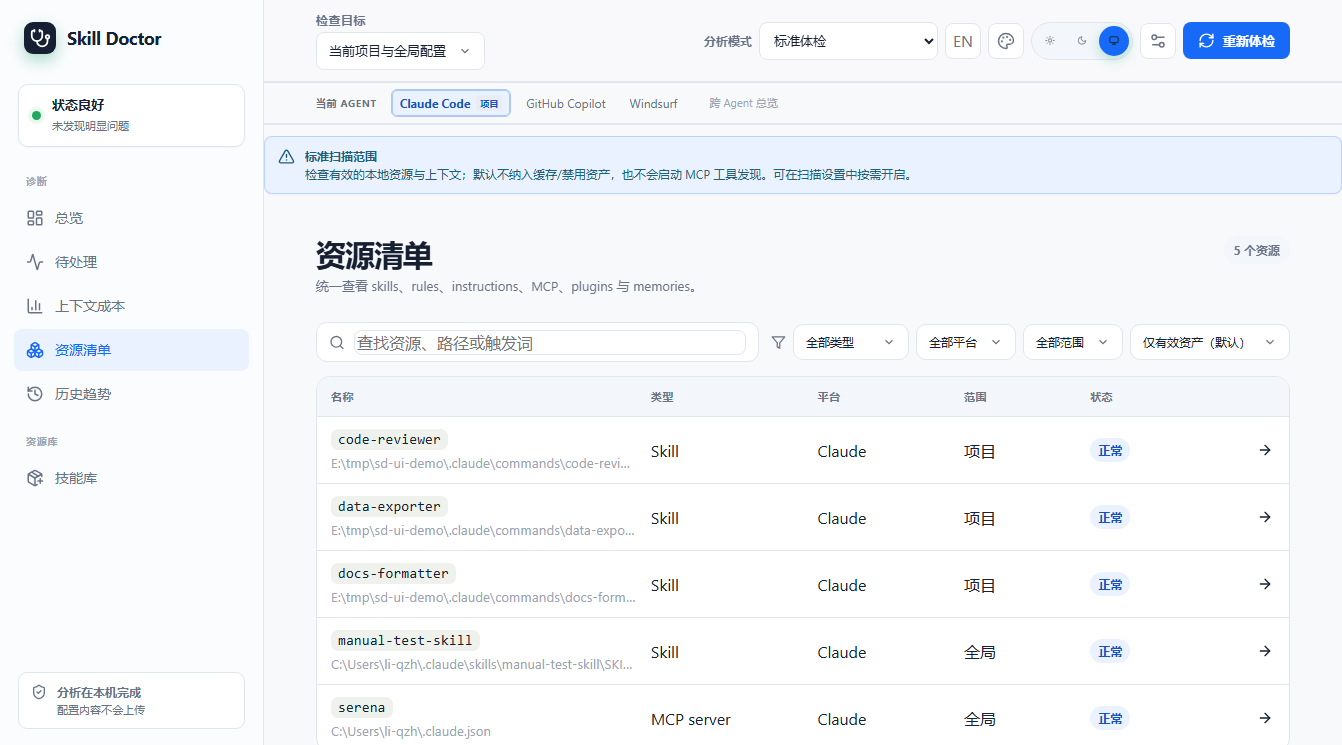
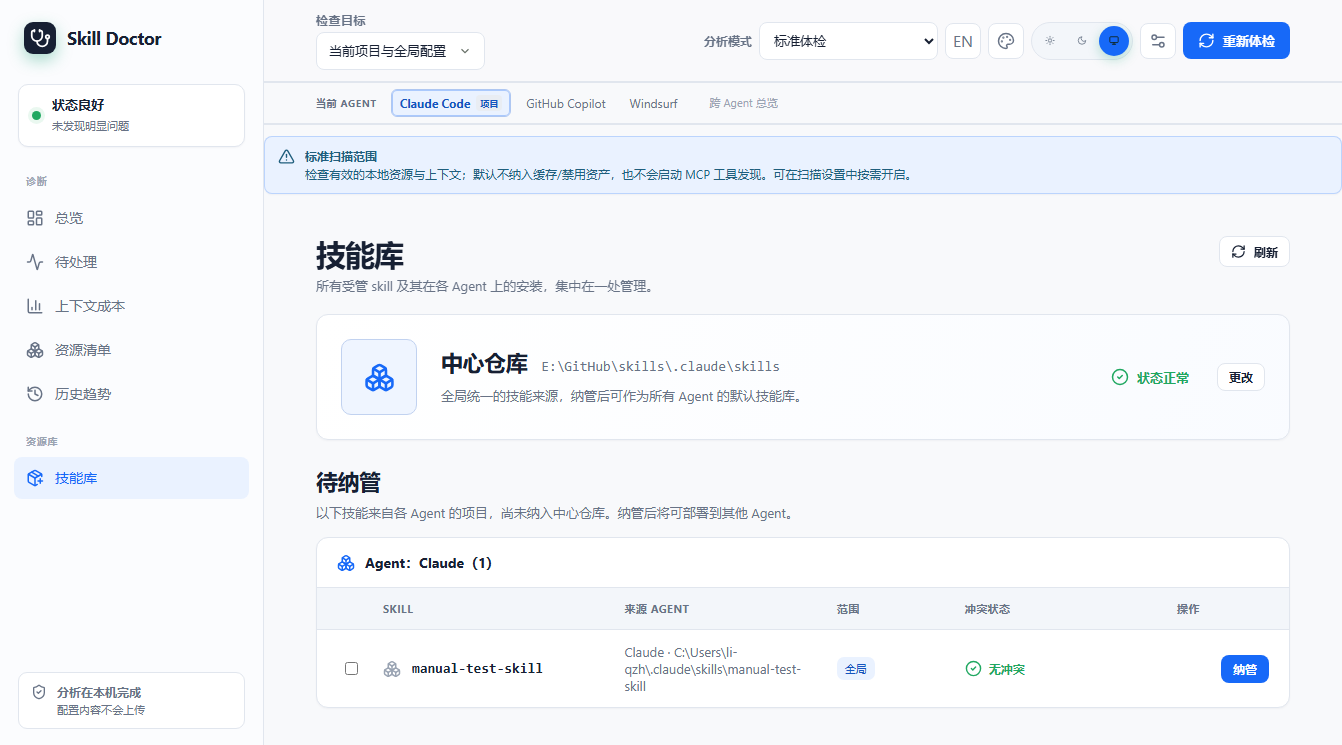
When you prefer a clickable web UI over the terminal — with a Codex project's overview, issues, optimization suggestions, scan history, resource inventory, and skill library at a glance — `ui` starts a local web server with session-based auth.
Usage
| Option | Description |
|---|---|
| [project-dir] | Project directory to analyze (default: current). |
| --port N | Listen port; default: random. |
| --no-open | Do not auto-open the browser (server still starts). |
Notes
After starting, the CLI prints a local URL with a session token (see the real output below). The UI screenshots in this manual use a current example project containing only project-level .codex/skills, with Codex selected on first launch; press Ctrl+C to stop.
Effect
$ skill-doctor ui --port 4173 --no-open
Skill Doctor UI: http://127.0.0.1:4173/session/RJebkCY4F_lOCXp6llb3m1dIJcSdrPoEKdXIb7t6mOg
Press Ctrl+C to stop.
Current UI screenshots (the example project contains only project-level .codex/skills):
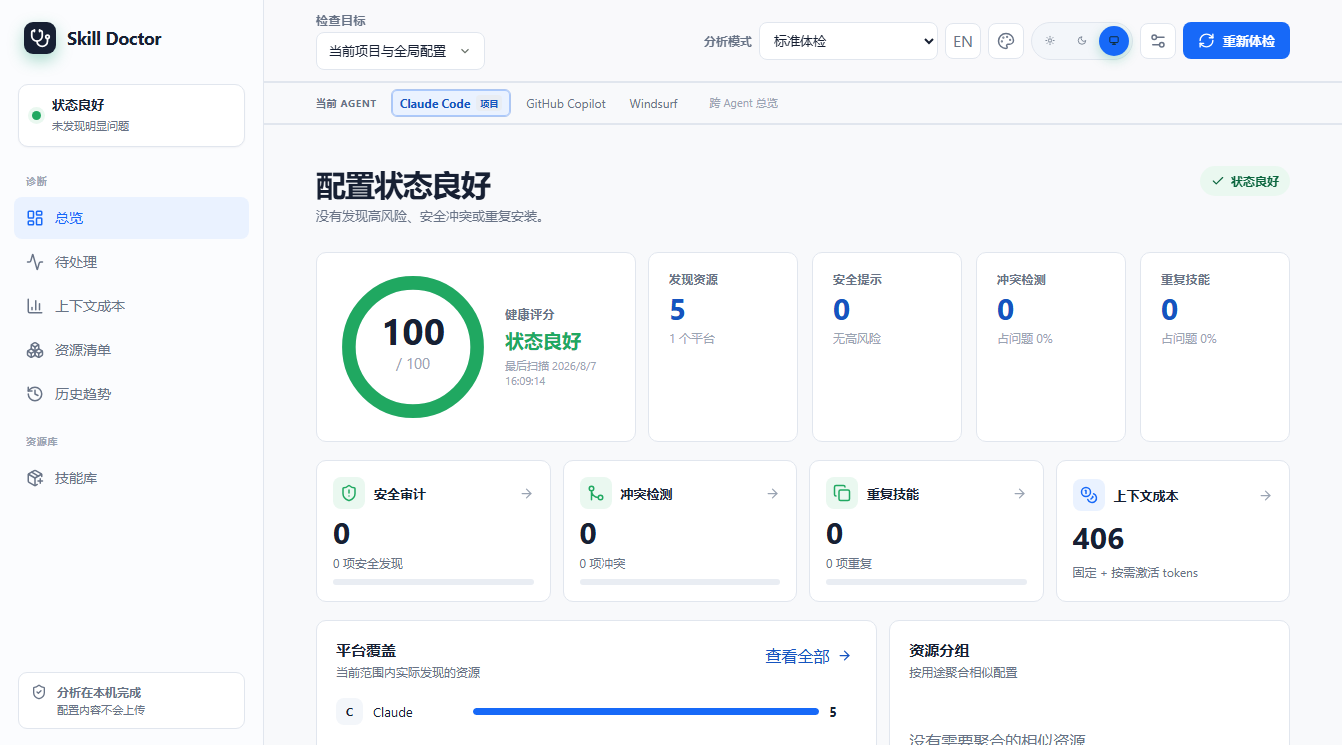
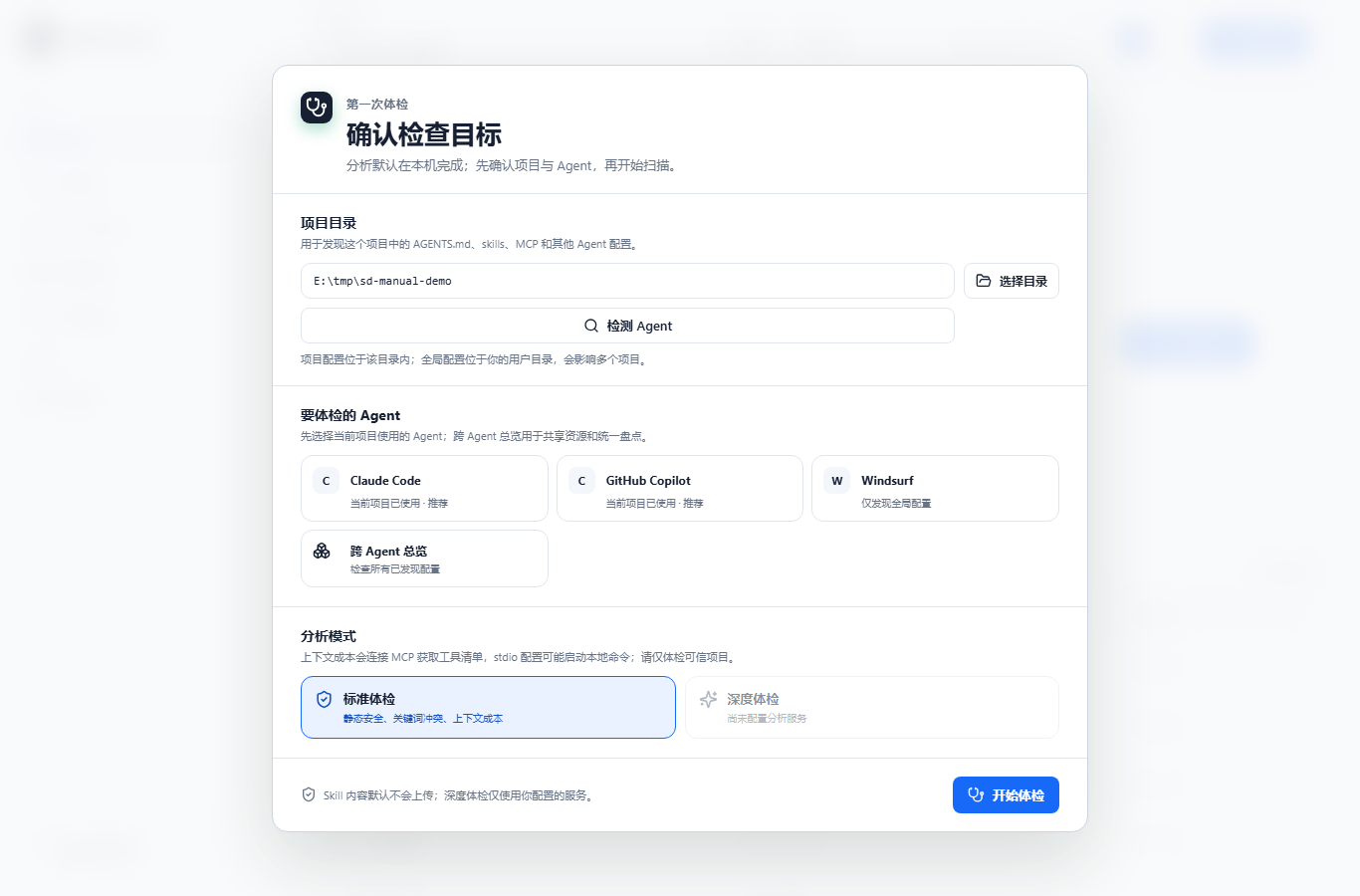
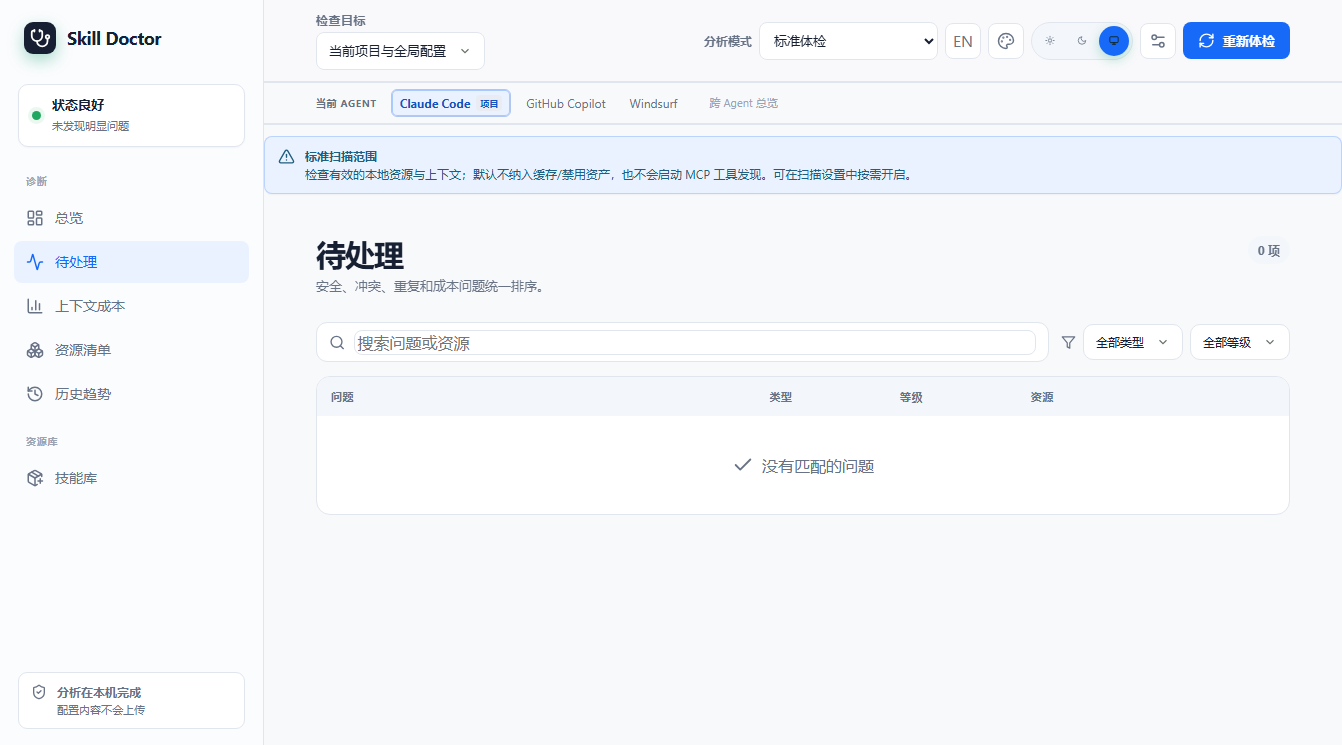
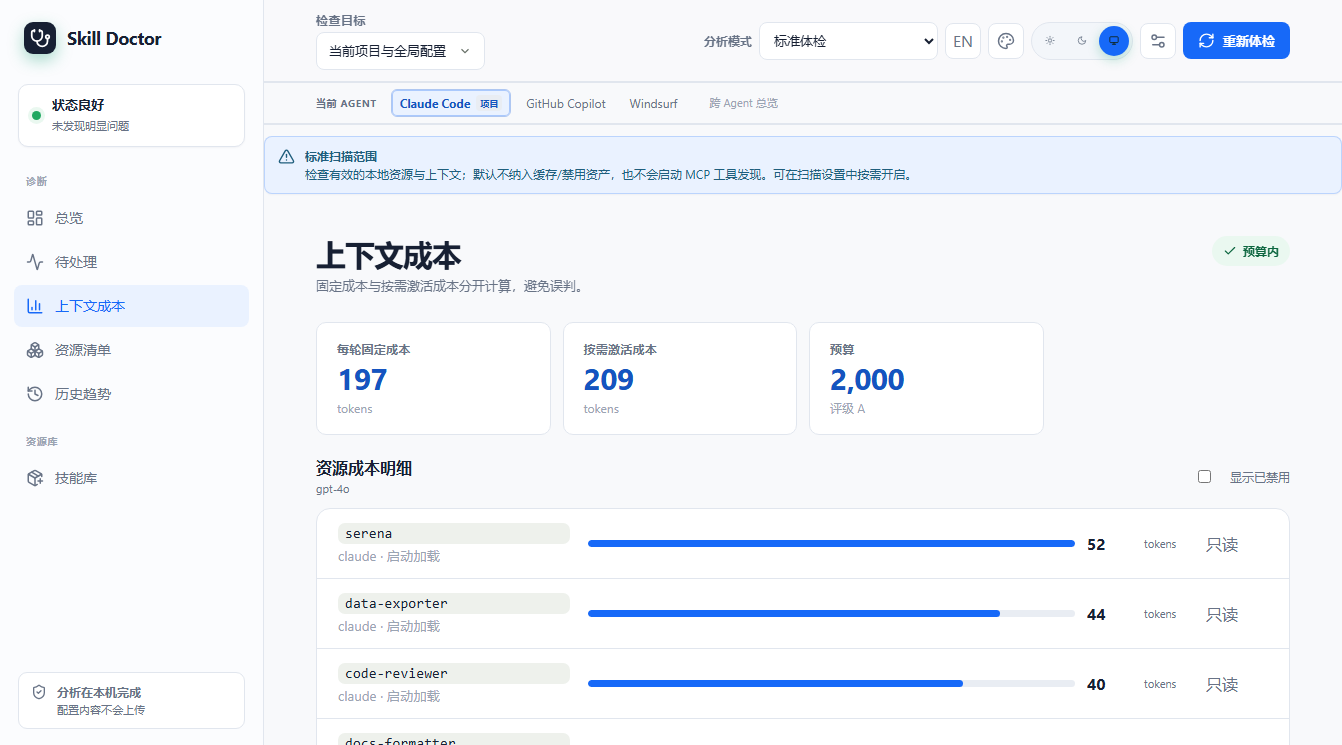
ui Codex optimization: browser walkthrough
These screenshots were recaptured from the current v0.7.0 local build with a Codex example project. The example contains one project-level .codex/skills Skill; the visible sample has 1 task, 9 turns, and 9 model responses. The UI stays local and read-only through the preview step; no configuration was written.
1. Open the UI and choose Optimization
Install dependencies and build from the source checkout, then start the local UI for the target project. Select Codex in onboarding. The current sidebar label is Optimization, replacing the old Benefit estimation wording.
npm run build
node dist/index.js ui /path/to/project --no-open

2. Read the session-cost baseline first
Click View session cost to open step 1. The page summarizes tasks, turns, tokens, and API-equivalent cost for the month or week. Use the pricing toggle to switch between the maximum-model and actual-model views.
| Example metric | Current screenshot |
|---|---|
| Tasks / turns / responses | 1 / 9 / 9 |
| Total tokens | 44,500 |
| Input / output tokens | 41,100 / 2,720 |
| Cached input | 20,550 |
| API-equivalent estimate | $0.6561 · gpt-6-astra 上限价 |

3. Inspect the after-change context preview
Return to step 2 and click View session changes. The current page shows historical session-header blocks side by side: the selected host_skills.instructions block is marked deleted while unselected memory and Plugins blocks are retained. This is an evidence-aligned preview, not a re-run of a new session.

4. Review the confirmation preview before changing config
Click Review and confirm change to see the affected scope, target, and the notice that the change takes effect in the next new session. This screenshot stops before confirmation; writing configuration still requires an explicit user action.

5. Verify in a new session after writing
After applying a change, step 3 asks you to start a new Codex session that loads the project configuration and check whether the target block is gone. This read-only walkthrough leaves the empty state because Confirm was not clicked; it does not turn an estimate into realized savings.

How to interpret these numbers
In this example, the selected project-level Skill catalog shows about 60 Tokens per response, covering 9/9 responses, for a cumulative estimate of about 540 Tokens; the displayed cost range is $0.00108–$0.0108. These are potential impacts projected from historical blocks, model prices, and cache bounds—not confirmed bill savings. New sessions, Codex versions, configuration, and price-table changes will change the numbers.
dashboard dashboard — export a static overview report
Scenario
You do not want to run a server — just export a single-file HTML overview (skills, conflicts, audit, duplicates, cleanup suggestions) to share or commit.
Usage
| Option | Description |
|---|---|
| --scope project|global|all | Scan scope, default `all`. |
| --report [path] | Export HTML; default path is `dashboard.html`. |
| --open | Auto-open the report in a browser after generation. |
Notes
Even without `--report`, dashboard.html is written. A real sample of it ships as an appendix of this manual.
Effect
$ skill-doctor dashboard --scope project --report dashboard.html
Dashboard written to: E:/tmp/sd-manual-demo/caps/dashboard.html
install / uninstall install / uninstall — manage skills
Scenario
You have a local skill directory (or a marketplace slug) and want to install it into a specific AI platform directory, then later uninstall it. Both operations are recorded in the unified skill center (center.json).
Usage
| Option | Description |
|---|---|
| <path|slug> | Local path or marketplace slug (required). |
| --target <platform> | Target platform; auto-detected when omitted. |
| --link | Install as a symlink (handy while developing). |
| uninstall <name> --target <p> | Uninstall a skill by name. |
| --force | Force uninstall even if other references exist. |
Notes
The example below uses an isolated environment (a temporary HOME) and shows: install `data-exporter` into claude → center.json immediately records the skill and its installation → force-uninstall removes the record.
Effect
$ skill-doctor install ./data-exporter --target claude   # then uninstall
✓ Installed 'data-exporter' to claude
  Path: E:\tmp\sd-manual-home\.claude\skills\data-exporter\SKILL.md


--- center.json after install ---
{
  "version": 1,
  "skills": [
    {
      "id": "64b7eb3b082ca5f6952d1cd772e24fa97541d4becb47e797e3c4f2e5840a4e52",
      "name": "data-exporter",
      "rootPath": "E:\\tmp\\sd-manual-home\\.claude\\skills\\data-exporter",
      "source": {
        "type": "local",
        "originalPath": "E:\\tmp\\sd-manual-demo\\.claude\\skills\\data-exporter\\SKILL.md"
      },
      "treeHash": "sha256:e838245632383828c2414edbcd112ab773292d084065bda76ba58aa2e8650843",
      "addedAt": "2026-08-07T06:15:07.251Z",
      "updatedAt": "2026-08-07T06:15:07.251Z",
      "installations": [
        {
          "id": "7a2d3e1a42503025822ddb949e43383b51a998e25234c3917b7d337e511d5166",
          "targetId": "claude-global-skills",
          "platform": "claude",
          "scope": "global",
          "mode": "copy",
          "installedPath": "E:\\tmp\\sd-manual-home\\.claude\\skills\\data-exporter\\SKILL.md",
          "installedRootPath": "E:\\tmp\\sd-manual-home\\.claude\\skills\\data-exporter",
          "deployedHash": "sha256:e838245632383828c2414edbcd112ab773292d084065bda76ba58aa2e8650843",
          "installedAt": "2026-08-07T06:15:07.250Z"
        }
      ]
    }
  ]
}
✓ Uninstalled 'data-exporter' from claude


--- center.json after uninstall (forced) ---
{
  "version": 1,
  "skills": []
}
center center — the unified skill center
Scenario
skill-doctor uses `center.json` as the single source of truth for skills and their installation records. Older data (catalog/deployments/registry) must be migrated in once; `show` then prints the whole picture.
Usage
| Option | Description |
|---|---|
| center migrate | Migrate legacy data into center.json (idempotent, re-runnable). |
| center show | Print the entire center.json as JSON. |
Notes
`migrate` output shows 34 skills migrated, 1 installation record, no backup (the machine was already in center format). The `show` output is long; only the first entries are shown below (34 skills in total on this machine).
Effect
$ skill-doctor center migrate
Migrated to center.json:
  skills: 34
  installations: 1
  backups: (none)
$ skill-doctor center show
{
  "version": 1,
  "skills": [
    {
      "id": "8f03cf43-2c5b-446c-a818-4bc49e531f93",
      "name": "agent-evaluator",
      "rootPath": "E:\\GitHub\\skills\\.claude\\skills\\agent-evaluator",
      "source": {
        "type": "local",
        "originalPath": "E:\\GitHub\\skills\\.claude\\skills\\agent-evaluator"
      },
      "treeHash": "sha256:65200faa99549113977205cef59cf1ba2bf9eb6b714e45d5d7bc4100b9c3f4d1",
      "addedAt": "2026-07-27T00:57:35.725Z",
      "updatedAt": "2026-07-27T00:57:35.725Z",
      "installations": []
    },
    {
      "id": "d4f52402-2de4-403d-8f2f-cbe32a396162",
      "name": "ai-image-asset-generator",
      "rootPath": "E:\\GitHub\\skills\\.claude\\skills\\ai-image-asset-generator",
      "source": {
        "type": "local",
        "originalPath": "E:\\GitHub\\skills\\.claude\\skills\\ai-image-asset-generator"
      },
      "treeHash": "sha256:651252f7b73f130fd5e2c306a0e340e47c1cb32c76fe90add2ab04df789fda3e",
      "addedAt": "2026-07-27T00:57:35.773Z",
      "updatedAt": "2026-07-27T00:57:35.773Z",
      "installations": []
    },
    {
…(已省略剩余技能,本机 center.json 共 34 个技能)
config config — configure analysis / embedding models
Scenario
To unlock skill-doctor's AI-enhanced capabilities (semantic interpretation in `show`, embedding strategy in `conflicts`, `audit --ai`, semantic differences in `diff`), first configure an OpenAI-compatible analysis model in `~/.skill-doctor/config.json` (optionally an embedding model too).
Usage
| Option | Description |
|---|---|
| config view | View the current model configuration. |
| config set analysis|embedding --base-url <url> --model <m> | Set the analysis/embedding model endpoint and name. |
| --api-key <key> | Set the API key (or rely on the environment variable). |
| --clear-api-key | Clear a stored API key. |
| config test [--service analysis|embedding] | Connectivity self-test. |
Notes
The real output below shows the machine is not configured yet. Once configured, `show`, `conflicts --strategy embedding`, `audit --ai`, and `diff` will gain the corresponding smart features.
Effect
$ skill-doctor config view
Model configuration (~/.skill-doctor/config.json):
  analysis:  not configured
  embedding: not configured
$ skill-doctor config set analysis --base-url <url> --model <model>
Usage: skill-doctor config set analysis|embedding --base-url <url> --model <model> [--api-key <key>] [--timeout-ms <n>] [--clear-api-key]