
怎么用这本手册
新增:当前 Codex 优化建议浏览器实操(5 张真实截图)
每个命令一节,固定包含三块:使用场景(什么时候该用它)、使用方式(命令与常用参数)、使用效果(下方深色终端块为真实运行的彩色截图)。
约定:--scope project 只看当前仓库、避免扫到全局;--json 输出机器可读结果便于 CI。手册示例在一个含 1 个重复技能的示例项目里运行,所以多处会出现 data-exporter 有 2 份 的现象。
安装与运行 安装与运行
使用场景
skill-doctor 是一个本地 CLI 工具,用于审计 AI 编码助手(Claude Code / Codex / Copilot / Cursor / WorkBuddy / InfCode 等)安装的「技能(skill)」:重复、冲突、安全风险与上下文成本。安装后即可在任意项目目录里使用。
使用方式
| 选项 | 说明 |
|---|---|
| npm i -g @evilstar2025/skill-doctor | 全局安装,之后直接用 skill-doctor 命令 |
| npx @evilstar2025/skill-doctor <cmd> | 不安装,临时运行某条命令 |
| skill-doctor --version | 查看版本(本手册基于 0.7.0) |
说明
Node.js ≥ 20。所有命令都可加 --json 输出机器可读结果,便于接入 CI。手册中的示例都在一个示例项目里运行:该项目故意把同名技能 data-exporter 放进了 .claude 与 .github 两套平台目录(制造 1 个重复),并放了 code-reviewer 用于对比演示。
使用效果
$ skill-doctor --version
0.7.0
skill-doctor --help 总览:--help
使用场景
第一次使用或忘记子命令/参数时,先看帮助。它会列出全部命令与可选项,是最常用的「目录」。
使用方式
| 选项 | 说明 |
|---|---|
| -h / --help | 对任意子命令也有效,例如 skill-doctor conflicts --help |
| -v / --version | 仅打印版本号 |
说明
下面是本机执行 --help 的真实输出,可作为命令速查表。
使用效果
$ skill-doctor --help
skill-doctor

Usage:
  skill-doctor scan [--scope project|global|all] [--strategy token|embedding] [--threshold N] [--embedding-model ID] [--json] [--report [path]]
  skill-doctor show <name> [--json]
  skill-doctor conflicts [--scope project|global|all] [--strategy token|embedding] [--threshold N] [--embedding-model ID] [--analyze] [--kind duplicate|conflict|all] [--fail-on high|med|low] [--limit N] [--json]
  skill-doctor audit [--scope project|global|all] [--severity high|med|low] [--fail-on high|med|low] [--ai] [--no-cache] [--json] [--report [path]]
  skill-doctor check [--scope project|global|all] [--fail-on high|med|low] [--budget-tokens N] [--json]
  skill-doctor cleanup [--scope project|global|all] [--json]
  skill-doctor cost [project-dir] [--platform PLATFORM] [--scope project|global|all] [--source skill|mcp|all] [--resource all|agents|skill|mcp|plugin|memory] [--codex-config path] [--show-disable] [--include-cache] [--tokenizer openai|approx] [--tokenizer-model model] [--budget-tokens N] [--platform-budget platform=N] [--fail-on-budget] [--json]
  skill-doctor context [project-dir] [--platform PLATFORM] [--scope project|global|all] [--source skill|mcp|all] [--resource all|agents|skill|mcp|plugin|memory] [--codex-config path] [--show-disable] [--include-cache] [--tokenizer openai|approx] [--tokenizer-model model] [--budget-tokens N] [--platform-budget platform=N] [--fail-on-budget] [--json]
  skill-doctor context enable|disable --id <resource-id> [--platform codex] [--codex-config path] [--json]
  skill-doctor diff <skill-a> <skill-b> [--report [path]]
  skill-doctor ui [project-dir] [--port N] [--no-open]
  skill-doctor dashboard [--scope project|global|all] [--report [path]] [--open]
  skill-doctor install <path|slug> [--target <platform>] [--link]
  skill-doctor uninstall <name> [--target <platform>] [--force]
  skill-doctor center migrate|show
  skill-doctor config view [--json]
  skill-doctor config set analysis|embedding --base-url <url> --model <model> [--api-key <key>] [--timeout-ms <n>] [--clear-api-key]
  skill-doctor config test [--service analysis|embedding]
  skill-doctor --version

Model config file:
  ~/.skill-doctor/config.json
  {
    "analysis":  { "baseUrl": "http://host/v1", "model": "gpt-4o", "apiKey": "..." },
    "embedding": { "baseUrl": "http://host/v1", "model": "bge-m3", "apiKey": "..." }
  }

Platforms:
  --platform values: claude|cursor|copilot|codex|gemini|windsurf|trae|opencode|kiro|openclaw|hermes|workbuddy|infcode|unknown (aliases: claudecode->claude, claude-code->claude)
scan scan — 盘点已安装的技能
使用场景
你想知道「当前项目到底装了哪些 skill、分布在哪些平台、有没有重复或冲突」时,先跑 scan。它是所有后续诊断的起点。
使用方式
| 选项 | 说明 |
|---|---|
| --scope project|global|all | 扫描范围;默认 all。手册示例用 project 只看当前仓库 |
| --group | 用模型把技能按主题分组(需要配置分析模型) |
| --strategy token|embedding | 冲突检测策略;默认 token(本地、离线) |
| --report [path] | 额外导出一个可视化 HTML 报告 |
| --json | 输出结构化 JSON,便于脚本处理 |
说明
示例中扫描到 3 个技能(claude×2、copilot×1),并发现 1 个重复。--report 会写出 scan-report.html(本手册附录附带样例)。
使用效果
$ skill-doctor scan --scope project
SKILL DOCTOR REPORT
Total skills installed: 3
Duplicates detected: 1
Conflicts detected: 0
Platforms:
- claude: 2
- copilot: 1

Skills:
- code-reviewer
  platform: claude  scope: project
  install source: .claude/skills  confidence: high
  repository: —
  author: —
- data-exporter
  platform: claude  scope: project
  install source: .claude/skills  confidence: high
  repository: —
  author: —
- data-exporter
  platform: copilot  scope: project
  install source: .github/skills  confidence: high
  repository: —
  author: —
$ skill-doctor scan --scope project --report scan-report.html
Report written to: E:/tmp/sd-manual-demo/caps/scan-report.html
show <name> show — 查看单个技能详情
使用场景
扫出一堆技能后,想深挖某一个:它的来源路径、描述、触发条件(When to Use),以及和它语义相近的其它技能。
使用方式
| 选项 | 说明 |
|---|---|
| <name> | 技能名(必填),例如 data-exporter |
| --json | 输出结构化 JSON |
说明
下方真实输出里,RELATED SKILLS 给出了与 data-exporter 相似度 0.25 的关联技能——这正是重复/冲突排查的线索。
使用效果
$ skill-doctor show data-exporter
SKILL: data-exporter
Platform: claude  |  Scope: project
Source: E:\tmp\sd-manual-demo\.claude\skills\data-exporter\SKILL.md

PROVENANCE
  Install source: .claude/skills
  Scope: project
  Confidence: high
  Repository: —
  Author: —

DESCRIPTION
  Export database tables and SQL query results to CSV and Parquet files for downstream analysis and reporting.

WHEN TO USE
  → Exporting a Postgres table to CSV
  → Dumping the result of an ad-hoc SQL query for reporting
  → Writing Parquet files for a data pipeline
  → Export database tables and SQL query results to CSV and Parquet files for downstream analysis and reporting.

RELATED SKILLS
  data-exporter            similarity: 0.25  shared: analysi, csv, data
conflicts conflicts — 检测重复与冲突
使用场景
当你怀疑不同平台/目录里藏着同名或高度雷同的技能(会互相覆盖、浪费上下文),用 conflicts 找出它们,并给出「删哪份、留哪份」的建议。
使用方式
| 选项 | 说明 |
|---|---|
| --scope project|global|all | 扫描范围,默认 all |
| --kind duplicate|conflict|all | 只关注某一类;duplicate=完全同名,conflict=语义雷同 |
| --fail-on high|med|low | 达到阈值则以退出码 1 失败,用于 CI 卡点 |
| --limit N | 最多显示 N 条 |
| --strategy / --threshold / --embedding-model | 同 scan,控制冲突检测精度 |
说明
真实输出中检测到 data-exporter 有 2 份副本,并建议删除较旧的一份(.github 下那份)。在 CI 里加 --fail-on high 即可把「出现重复」变成构建失败。
使用效果
$ skill-doctor conflicts --scope project
DUPLICATES

data-exporter  [2 copies]
  E:\tmp\sd-manual-demo\.claude\skills\data-exporter\SKILL.md
  E:\tmp\sd-manual-demo\.github\skills\data-exporter\SKILL.md

SUGGESTIONS

consider removing: E:\tmp\sd-manual-demo\.github\skills\data-exporter\SKILL.md
  keep: E:\tmp\sd-manual-demo\.claude\skills\data-exporter\SKILL.md  (newer (modified 2026-08-07))
audit audit — 安全审计
使用场景
在把技能交付给团队或 CI 之前,想知道有没有明显的安全风险(如危险的 shell 指令、可疑的网络调用等)。不带 --ai 时走本地规则,零配置即可用。
使用方式
| 选项 | 说明 |
|---|---|
| --scope project|global|all | 扫描范围,默认 all |
| --severity high|med|low | 只显示 ≥ 该级别的问题 |
| --ai | 调用配置好的分析模型做增强扫描(需先 config set analysis) |
| --no-cache | 忽略 AI 审计缓存,重新分析 |
| --report [path] | 导出可视化 HTML 审计报告 |
说明
本例 3 个示例技能没有命中本地规则,因此显示 No findings。一旦装了含危险指令的技能,这里会列出具体风险点与级别。
使用效果
$ skill-doctor audit --scope project
Skill Safety Audit — 3 skills scanned

No findings.
check check — 一键健康门禁(CI 首选)
使用场景
在 CI / pre-commit 里用一条命令同时检查:安全风险、技能冲突、上下文是否超预算,并给出 pass/fail 与退出码。比分别跑 audit+conflicts+cost 更省事。
使用方式
| 选项 | 说明 |
|---|---|
| --scope project|global|all | 扫描范围,默认 all |
| --fail-on high|med|low | 严重程度阈值,默认 high;命中则退出码 1 |
| --budget-tokens N | 上下文预算(每轮 token 上限),超了算失败 |
| --json | 输出结构化结果,便于流水线解析 |
说明
真实输出显示 failed:安全 0、冲突 1、预算未超。因为发现了 1 个重复(冲突),所以未通过——非常适合作为合并前卡点。
使用效果
$ skill-doctor check --scope project --fail-on high
Project check: failed
Security findings: 0
Conflicts: 1
Context over budget: no
cleanup cleanup — 清理重复技能
使用场景
conflicts 告诉你「有重复」后,cleanup 列出所有重复副本,并可用 --execute 交互式地逐个删除,把磁盘和上下文收拾干净。
使用方式
| 选项 | 说明 |
|---|---|
| --scope project|global|all | 扫描范围,默认 all |
| --execute | 进入交互模式,逐项选择删除哪一份(默认仅列出) |
| --json | 输出待清理清单,便于脚本 |
说明
不加 --execute 时是只读预览(安全);加 --execute 后会对每个重复向你提问 [1/2/s],按 s 可跳过。演示输出为只读预览。
使用效果
$ skill-doctor cleanup --scope project
DUPLICATE SKILLS
1 duplicate found. Run with --execute to remove interactively.

data-exporter
  [1] E:\tmp\sd-manual-demo\.claude\skills\data-exporter\SKILL.md
  [2] E:\tmp\sd-manual-demo\.github\skills\data-exporter\SKILL.md
cost / context cost — 估算「上下文税」
使用场景
技能、MCP、Agent 配置每轮都会悄悄塞进对话上下文,吃掉 token 与钱。cost 帮你按平台/资源拆解「每轮要背多少 token」,并对照预算评级;context 子命令还能开关 Codex 的某些资源。
使用方式
| 选项 | 说明 |
|---|---|
| [project-dir] | 要分析的项目目录,默认当前目录 |
| --platform <p> | 只看某个平台(claude/codex/copilot/...) |
| --source skill|mcp|all | 只统计技能 / MCP / 全部 |
| --budget-tokens N | 每轮预算,超过则标红 |
| --fail-on-budget | 超预算时退出码 1 |
| --tokenizer openai|approx | 分词器;默认 openai(精确) |
| context enable|disable --id <id> | 启用/禁用某个 Codex 上下文资源 |
说明
真实输出给出每轮 392 token 的估算、按平台(copilot/claude)拆分、各技能开销,并给出 A 级(预算内)评级。这是优化「AI 越用越贵」的利器。
使用效果
$ skill-doctor cost --scope project
CONTEXT COST REPORT
Project: E:\tmp\sd-manual-demo
Scope: project (current project only)
Estimated token tax: 392 tokens/turn
Tokenizer: openai model=gpt-4o encoding=o200k_base
Budget: 2000 tokens/turn
Grade: A (within budget)
Items scanned: 5

By coding agent:
- copilot: 236 tokens/turn (3 items)
  budget: 2000  grade: A (within budget)
  startup: 236  always-on: 0  activation risk: 241
- claude: 156 tokens/turn (2 items)
  budget: 2000  grade: A (within budget)
  startup: 156  always-on: 0  activation risk: 158

Highest cost items:
- data-exporter
  tokens: 80  platform: claude  scope: project  source: skill
  kind: claude-skill-description  activation: startup  budget: startup-selection
  activation tokens: 83  confidence: high
  path: E:\tmp\sd-manual-demo\.claude\skills\data-exporter\SKILL.md
  fix: OK
- data-exporter
  tokens: 80  platform: copilot  scope: project  source: skill
  kind: agent-skill-description  activation: startup  budget: startup-selection
  activation tokens: 83  confidence: high
  path: E:\tmp\sd-manual-demo\.github\skills\data-exporter\SKILL.md
  fix: OK
- data-exporter
  tokens: 80  platform: copilot  scope: project  source: skill
  kind: agent-skill-description  activation: startup  budget: startup-selection
  activation tokens: 83  confidence: high
  path: E:\tmp\sd-manual-demo\.claude\skills\data-exporter\SKILL.md
  fix: OK
- code-reviewer
  tokens: 76  platform: claude  scope: project  source: skill
  kind: claude-skill-description  activation: startup  budget: startup-selection
  activation tokens: 75  confidence: high
  path: E:\tmp\sd-manual-demo\.claude\skills\code-reviewer\SKILL.md
  fix: OK
- code-reviewer
  tokens: 76  platform: copilot  scope: project  source: skill
  kind: agent-skill-description  activation: startup  budget: startup-selection
  activation tokens: 75  confidence: high
  path: E:\tmp\sd-manual-demo\.claude\skills\code-reviewer\SKILL.md
  fix: OK
diff <a> <b> diff — 对比两个技能
使用场景
你想确认两个技能到底差在哪(比如要合并、要替换、还是根本是同一个东西换了个名),用 diff 并排对比它们的字段与触发条件。
使用方式
| 选项 | 说明 |
|---|---|
| <skill-a> <skill-b> | 两个技能名(必填) |
| --report [path] | 导出可视化 HTML 对比报告 |
说明
未配置分析模型时,diff 会回退到「仅展示提取字段」模式(下方真实输出中的提示)。配置模型后会额外给出语义层面的差异解读。
使用效果
$ skill-doctor diff data-exporter code-reviewer
┌──────────────────────────────────────────────────────────┐
│  Skill Diff: data-exporter  vs  code-reviewer
└──────────────────────────────────────────────────────────┘

⚠  LLM analysis unavailable — showing extracted fields only.

── 触发条件 ────────────────────────────────────────────────────
  data-exporter                - Exporting a Postgres table to CSV
- Dumping the result of an ad-hoc SQL query for reporting
- Writing Parquet files for a data pipeline
  code-reviewer                - Reviewing a GitHub pull request for SQL injection risks
- Checking a diff for performance regressions
- Enforcing project style rules on new code
ui ui — 启动 Web 仪表盘
使用场景
比起纯终端,你更想要一个可点的网页界面:Codex 项目的总览、问题、优化建议、扫描记录、资源清单和技能库一目了然。ui 会在本地起一个带鉴权会话的 Web 服务。
使用方式
| 选项 | 说明 |
|---|---|
| [project-dir] | 要分析的项目目录,默认当前目录 |
| --port N | 监听端口,默认随机 |
| --no-open | 不自动打开浏览器(服务器仍正常启动) |
说明
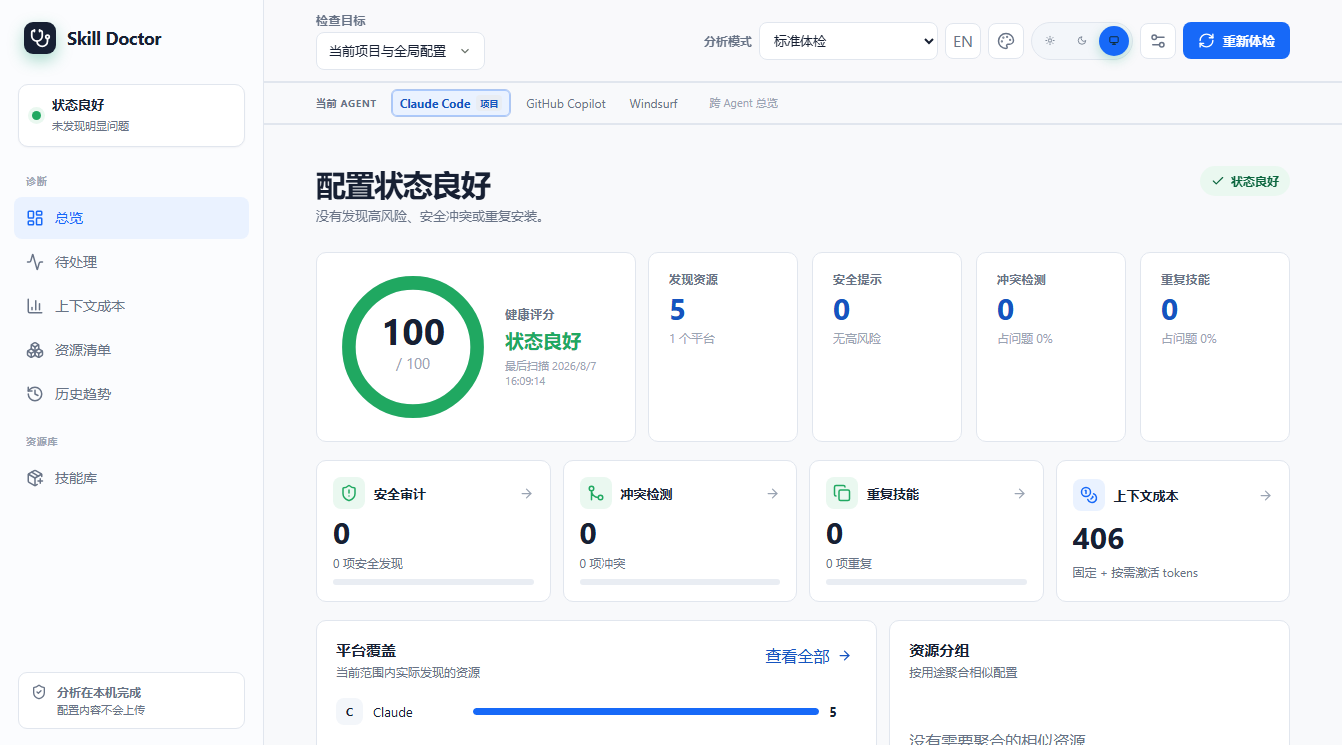
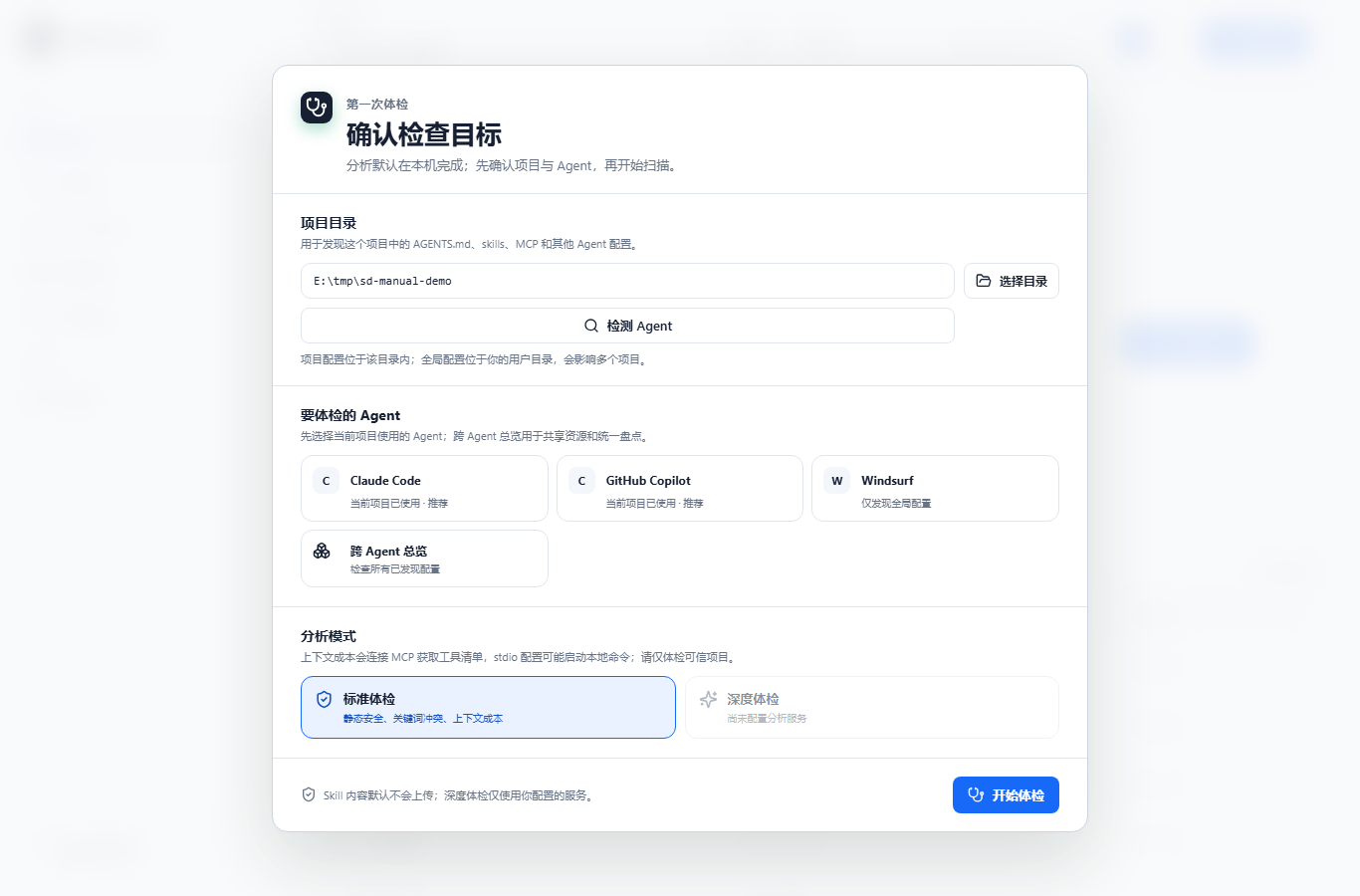
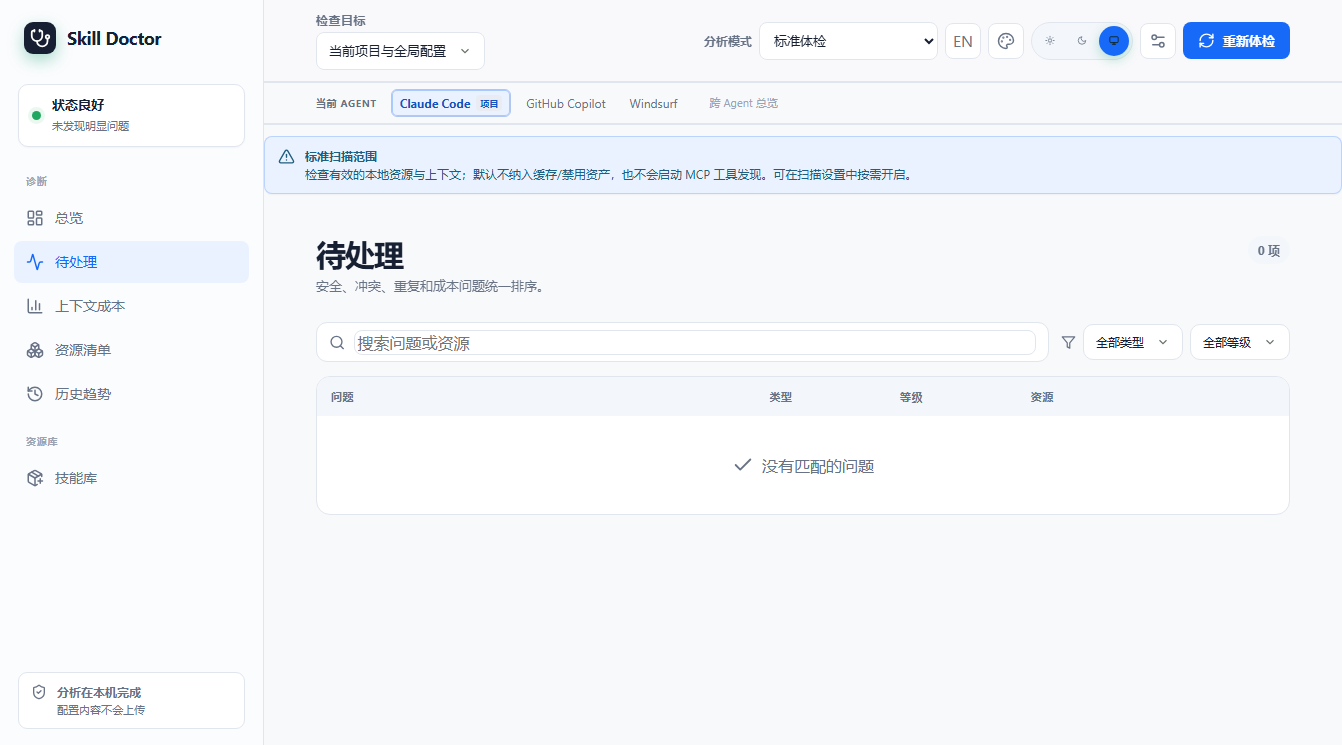
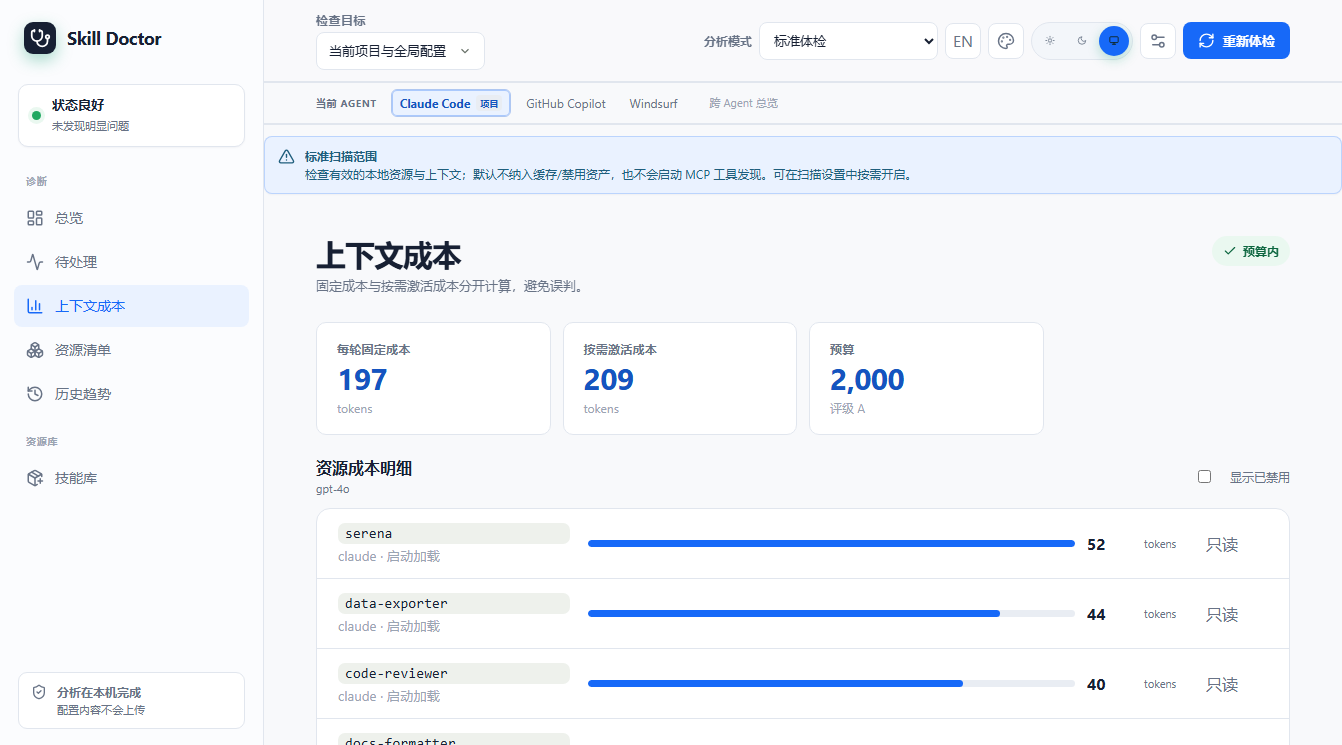
启动后会打印一个带 session token 的本地 URL(下方真实输出)。本手册的界面截图均来自一个只包含 Codex 项目级 .codex/skills 的当前示例项目,首次进入时选择 Codex;按 Ctrl+C 停止服务。
使用效果
$ skill-doctor ui --port 4173 --no-open
Skill Doctor UI: http://127.0.0.1:4173/session/RJebkCY4F_lOCXp6llb3m1dIJcSdrPoEKdXIb7t6mOg
Press Ctrl+C to stop.
当前界面截图(示例项目只包含 Codex 项目级 .codex/skills):
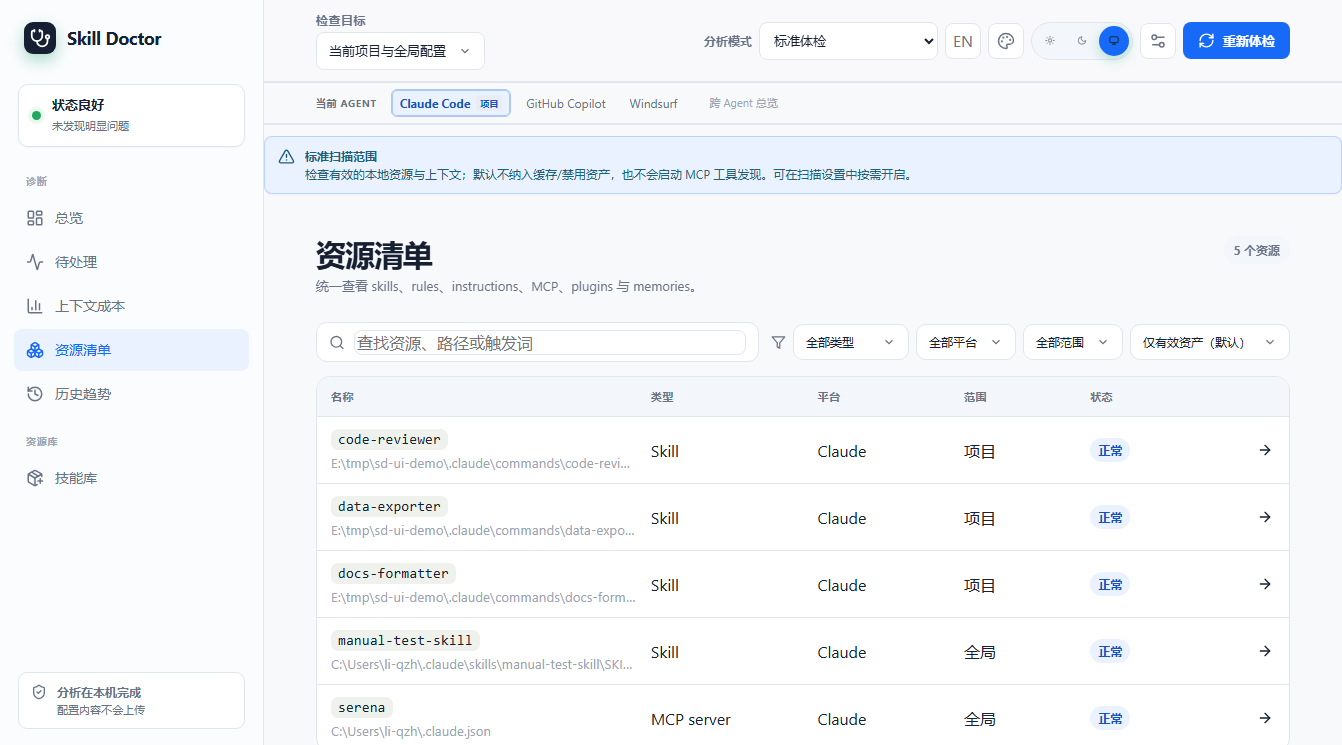
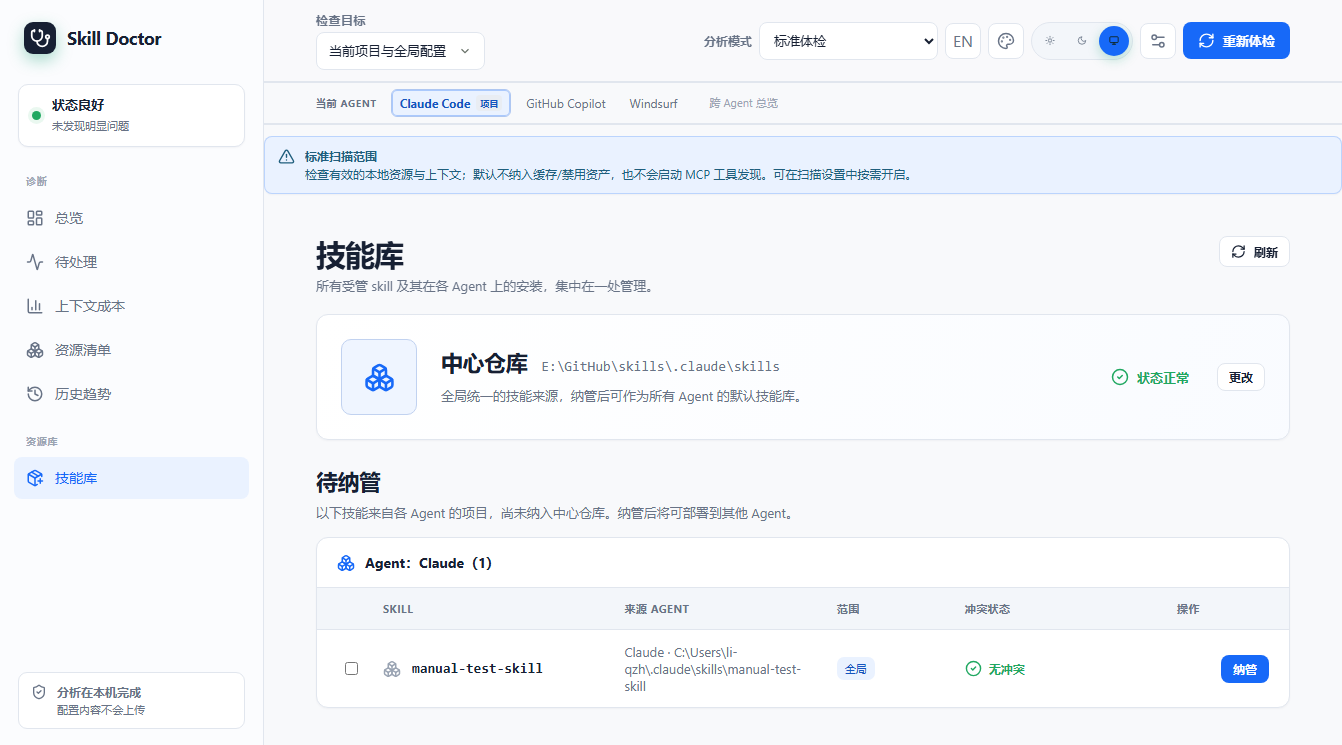
ui Codex 优化建议:浏览器实操
本节按当前 v0.7.0 本地构建的 Codex 示例项目重新截图。示例只包含一个项目级 .codex/skills Skill;截图中的数据来自 1 个 task、9 个 turn、9 次模型响应。页面只做本地估算和修改前预览,没有执行配置写入。
1. 打开 UI,进入「优化建议」
在源码仓库安装依赖并构建,然后为目标项目启动本地 UI。首次引导选择 Codex;侧栏当前名称是「优化建议」,不再是旧版的「收益预估」。
npm run build
node dist/index.js ui /path/to/project --no-open

2. 先看会话开销
点击「看会话开销」进入第 1 步。页面按本月/本周汇总任务、turn、Token 和 API 等价费用;「按实际使用模型」可以切换计价口径。
| 示例指标 | 当前截图 |
|---|---|
| 任务 / turn / 响应 | 1 / 9 / 9 |
| 总 Token | 44,500 |
| 输入 / 输出 Token | 41,100 / 2,720 |
| 缓存命中输入 | 20,550 |
| API 等价估算 | $0.6561 · gpt-6-astra 上限价 |

3. 查看关闭后的会话对比
回到第 2 步点击「查看会话变化」。当前页面会把历史会话头部按 block 并排展示:选中的 host_skills.instructions 标成「删除」,记忆和 Plugins 等未选内容保留。这里是证据和对齐预览,不是已经运行过的新会话。

4. 修改前检查确认预览
点击「查看并确认修改」后,页面显示受影响的配置范围、目标和「下个新会话生效」提示。截图停在确认按钮之前;真正写入配置必须由用户明确确认。

5. 写入后必须在新会话验证
应用修改后进入第 3 步,向导会要求启动加载该项目配置的新 Codex 会话,再检查目标 block 是否消失。下面这张图保留了本次只读演示的空状态,因为没有点击确认按钮;它不会把预估误写成已实现节省。

如何理解这组数字
这次示例中,选中的项目级技能目录显示每次响应约 60 Token、9/9 次响应覆盖,累计约 540 Token;费用区间为 $0.00108–$0.0108。它们是按历史 block、模型价格和缓存边界推算的潜在影响,不是已确认的账单节省。会话新增、Codex 版本、配置和价格表变化后,数字都会变化。
dashboard dashboard — 生成静态总览报告
使用场景
你不想起服务,只想导出一份「可分享/可归档」的 HTML 总览(技能、冲突、审计、重复、清理建议一页纸),发给同事或提交到仓库。
使用方式
| 选项 | 说明 |
|---|---|
| --scope project|global|all | 扫描范围,默认 all |
| --report [path] | 导出 HTML;不写路径默认 dashboard.html |
| --open | 生成后自动用浏览器打开 |
说明
默认(不带 --report)也会写出 dashboard.html。本手册附录附带本次生成的 dashboard.html 样例。
使用效果
$ skill-doctor dashboard --scope project --report dashboard.html
Dashboard written to: E:/tmp/sd-manual-demo/caps/dashboard.html
install / uninstall install / uninstall — 安装与卸载技能
使用场景
你拿到一个本地 skill 目录(或市场 slug),想装到某个 AI 平台的技能目录里统一纳管;用完后用 uninstall 卸载。两者都写入「统一技能中心」center.json。
使用方式
| 选项 | 说明 |
|---|---|
| <path|slug> | 本地路径或市场 slug(必填) |
| --target <platform> | 目标平台;不写则自动探测当前活跃平台 |
| --link | 以符号链接方式安装(便于开发调试) |
| uninstall <name> --target <p> | 卸载指定名称的技能 |
| --force | 强制卸载(即使仍有其它引用) |
说明
下方为隔离环境(临时 HOME)下的真实演示:安装本地 data-exporter 到 claude → center.json 立即登记该技能与安装记录 → 强制卸载后记录被移除。
使用效果
$ skill-doctor install ./data-exporter --target claude   # then uninstall
✓ Installed 'data-exporter' to claude
  Path: E:\tmp\sd-manual-home\.claude\skills\data-exporter\SKILL.md


--- center.json after install ---
{
  "version": 1,
  "skills": [
    {
      "id": "64b7eb3b082ca5f6952d1cd772e24fa97541d4becb47e797e3c4f2e5840a4e52",
      "name": "data-exporter",
      "rootPath": "E:\\tmp\\sd-manual-home\\.claude\\skills\\data-exporter",
      "source": {
        "type": "local",
        "originalPath": "E:\\tmp\\sd-manual-demo\\.claude\\skills\\data-exporter\\SKILL.md"
      },
      "treeHash": "sha256:e838245632383828c2414edbcd112ab773292d084065bda76ba58aa2e8650843",
      "addedAt": "2026-08-07T06:15:07.251Z",
      "updatedAt": "2026-08-07T06:15:07.251Z",
      "installations": [
        {
          "id": "7a2d3e1a42503025822ddb949e43383b51a998e25234c3917b7d337e511d5166",
          "targetId": "claude-global-skills",
          "platform": "claude",
          "scope": "global",
          "mode": "copy",
          "installedPath": "E:\\tmp\\sd-manual-home\\.claude\\skills\\data-exporter\\SKILL.md",
          "installedRootPath": "E:\\tmp\\sd-manual-home\\.claude\\skills\\data-exporter",
          "deployedHash": "sha256:e838245632383828c2414edbcd112ab773292d084065bda76ba58aa2e8650843",
          "installedAt": "2026-08-07T06:15:07.250Z"
        }
      ]
    }
  ]
}
✓ Uninstalled 'data-exporter' from claude


--- center.json after uninstall (forced) ---
{
  "version": 1,
  "skills": []
}
center center — 统一技能中心
使用场景
skill-doctor 用 center.json 作为「技能与安装记录的单一真相源」。老旧版本数据(catalog/deployments/registry)需要一次性迁移过来;show 则查看当前全部纳管技能与安装情况。
使用方式
| 选项 | 说明 |
|---|---|
| center migrate | 把旧格式数据迁移到 center.json(幂等,可重复执行) |
| center show | 以 JSON 打印 center.json 全部内容 |
说明
migrate 真实输出显示已迁移 34 个技能、1 个安装记录、无备份(说明本机早已是 center 格式)。show 输出较长,下方仅截取前若干项示意(本机共 34 个技能)。
使用效果
$ skill-doctor center migrate
Migrated to center.json:
  skills: 34
  installations: 1
  backups: (none)
$ skill-doctor center show
{
  "version": 1,
  "skills": [
    {
      "id": "8f03cf43-2c5b-446c-a818-4bc49e531f93",
      "name": "agent-evaluator",
      "rootPath": "E:\\GitHub\\skills\\.claude\\skills\\agent-evaluator",
      "source": {
        "type": "local",
        "originalPath": "E:\\GitHub\\skills\\.claude\\skills\\agent-evaluator"
      },
      "treeHash": "sha256:65200faa99549113977205cef59cf1ba2bf9eb6b714e45d5d7bc4100b9c3f4d1",
      "addedAt": "2026-07-27T00:57:35.725Z",
      "updatedAt": "2026-07-27T00:57:35.725Z",
      "installations": []
    },
    {
      "id": "d4f52402-2de4-403d-8f2f-cbe32a396162",
      "name": "ai-image-asset-generator",
      "rootPath": "E:\\GitHub\\skills\\.claude\\skills\\ai-image-asset-generator",
      "source": {
        "type": "local",
        "originalPath": "E:\\GitHub\\skills\\.claude\\skills\\ai-image-asset-generator"
      },
      "treeHash": "sha256:651252f7b73f130fd5e2c306a0e340e47c1cb32c76fe90add2ab04df789fda3e",
      "addedAt": "2026-07-27T00:57:35.773Z",
      "updatedAt": "2026-07-27T00:57:35.773Z",
      "installations": []
    },
    {
…(已省略剩余技能,本机 center.json 共 34 个技能)
config config — 配置分析 / 嵌入模型
使用场景
要让 skill-doctor 的 AI 增强能力(show 的语义解读、conflicts 的 embedding 策略、audit --ai、diff 的语义差异)生效,需要先在 ~/.skill-doctor/config.json 里配置一个 OpenAI 兼容的分析模型(可选再配嵌入模型)。
使用方式
| 选项 | 说明 |
|---|---|
| config view | 查看当前模型配置状态 |
| config set analysis|embedding --base-url <url> --model <m> | 设置分析/嵌入模型端点与模型名 |
| --api-key <key> | 设置 API Key(也可不写,走环境变量) |
| --clear-api-key | 清除已保存的 Key |
| config test [--service analysis|embedding] | 连通性自检 |
说明
下方真实输出显示本机尚未配置模型(not configured)。配置后,show/conflicts --strategy embedding/audit --ai/diff 才会启用对应的智能能力。
使用效果
$ skill-doctor config view
Model configuration (~/.skill-doctor/config.json):
  analysis:  not configured
  embedding: not configured
$ skill-doctor config set analysis --base-url <url> --model <model>
Usage: skill-doctor config set analysis|embedding --base-url <url> --model <model> [--api-key <key>] [--timeout-ms <n>] [--clear-api-key]